
Is Manus AI Pro Worth $49/Month? I Tracked Every Task for 30 Days to Find Out.
I’m going to skip the part where I tell you Manus is revolutionary. You’ve read that take. Everyone has that take.
What I haven’t seen is someone actually sitting down with a spreadsheet and asking: does this thing pay for itself? Not in theory. Not in vibes. In actual hours saved, work produced, and dollars-per-output compared to what I was paying before.
So I did that. For 30 days, I logged every task I sent to Manus Pro, estimated the time it would have taken me manually, and tracked whether the output was usable without significant editing. The honest answer is more complicated than the hype — and more useful.
Here’s the full breakdown.

First, the Math: What Does $49/Month Actually Buy You?
Manus Pro gives you 4,000 credits per month plus 300 daily refresh credits. Before you can evaluate ROI, you need to understand what credits actually cost in practice — because Manus doesn’t make this obvious upfront.
Based on my 30-day log:
- Simple research task (summarize a topic, pull key stats) — 50–150 credits
- Medium research report (competitive analysis, 1,000+ word structured output) — 300–600 credits
- Complex autonomous task (multi-source research + formatting + follow-up actions) — 800–1,500 credits
- Web browsing + form interaction — 200–400 credits per session
Doing the math: 4,000 monthly credits covers roughly 6–8 complex tasks, or 25–30 medium research tasks, or 80+ simple tasks per month. The daily 300 refresh credits add another 9,000 credits over the month if you use them consistently — but only if you’re logging in daily, which most solo founders don’t.
The credit system is Manus’s biggest UX problem. You can blow through your monthly allocation on two or three ambitious tasks and spend the rest of the month rationing. I did this in week one. It changes how you use the tool in ways that affect the ROI calculation significantly.
Where Manus Pro Absolutely Paid for Itself
These are the task categories where, after 30 days, I would pay $49/month for Manus just to handle these alone.
1. Competitive research reports. This is Manus’s strongest use case by a significant margin. A report I would have spent 3–4 hours producing manually — browsing competitor sites, pulling pricing, reading reviews, synthesizing into a structured document — Manus completed in 18–25 minutes with output I could share directly. At my effective hourly rate, one of these reports per month justifies the entire subscription.
2. First-draft content briefs. I fed Manus a topic, a target audience, and three competitor articles. It returned a 1,200-word content brief with H2 structure, keyword suggestions, angle recommendations, and a gap analysis. Not perfect — I edited about 20% — but the 80% it got right saved me 90 minutes of thinking I genuinely didn’t want to do.
3. Summarizing long documents I didn’t want to read. Contracts, research papers, lengthy email threads, PDF reports. Manus reads them, pulls the relevant points, and flags anything that needs my attention. This sounds small. It is not small. I reclaimed roughly 4 hours in month one just from not reading things I didn’t need to read in full.
4. Building structured data from messy inputs. I gave Manus a pile of unstructured notes from a week of conversations and asked it to organize them into a product requirements document. The output needed editing, but the structure was right and saved me the hardest part — starting with a blank page.
The real ROI calculation for solo founders isn’t “hours saved.” It’s “hours redirected.” Every hour Manus takes off your plate is an hour you can spend on client work, sales, or anything that directly generates revenue. At a $100/hr effective rate, you need Manus to save you 30 minutes of billable-equivalent work per week to break even on $49/month. For competitive research alone, it cleared that bar in week one.

Where Manus Pro Felt Like a Waste of Credits
This is the part the Manus marketing doesn’t cover. Here’s where I genuinely felt the $49.
1. Anything requiring real-time accuracy. I asked Manus to pull current pricing for five SaaS competitors. It browsed the pages, returned a table — and two of the five prices were wrong. Not dramatically wrong, just outdated by one pricing tier. For a casual brief, fine. For anything going to a client or stakeholder, I had to verify everything manually anyway. The time saved was negative once I factored in the verification.
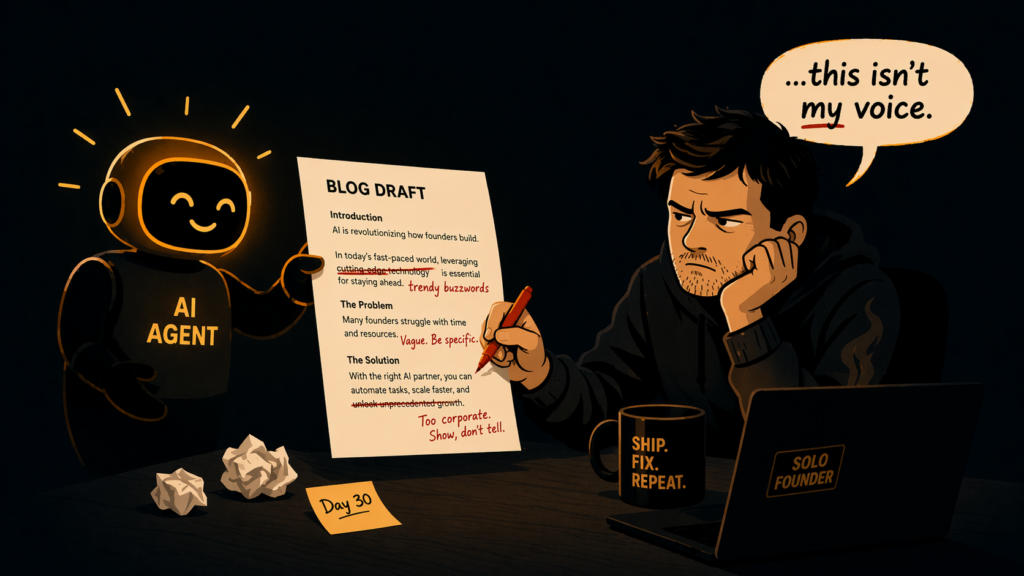
2. Creative work with a specific voice. I tried using Manus to draft social posts in Alex’s voice — the same tone this newsletter runs on. Every draft came back polished, coherent, and completely generic. The outputs sounded like a LinkedIn post written by someone who has read a lot of LinkedIn posts. I spent more time editing them into something real than I would have spent writing from scratch.
3. Tasks that needed more than one decision point. Manus is excellent at executing a clear goal. It struggles when the goal requires judgment calls mid-task — “should I include X or Y angle in this report?” It will make a choice and not flag it as a choice. I missed two important framing decisions in a client deliverable because Manus had quietly made them for me and the output looked complete.
4. Short tasks under 10 minutes. For anything I could do in under 10 minutes myself, the time spent writing a good prompt, reviewing the output, and correcting course often exceeded the time I would have spent just doing it. Manus has a high prompt investment cost that only pays off on tasks with meaningful time savings on the other side.
The 30-Day Scorecard
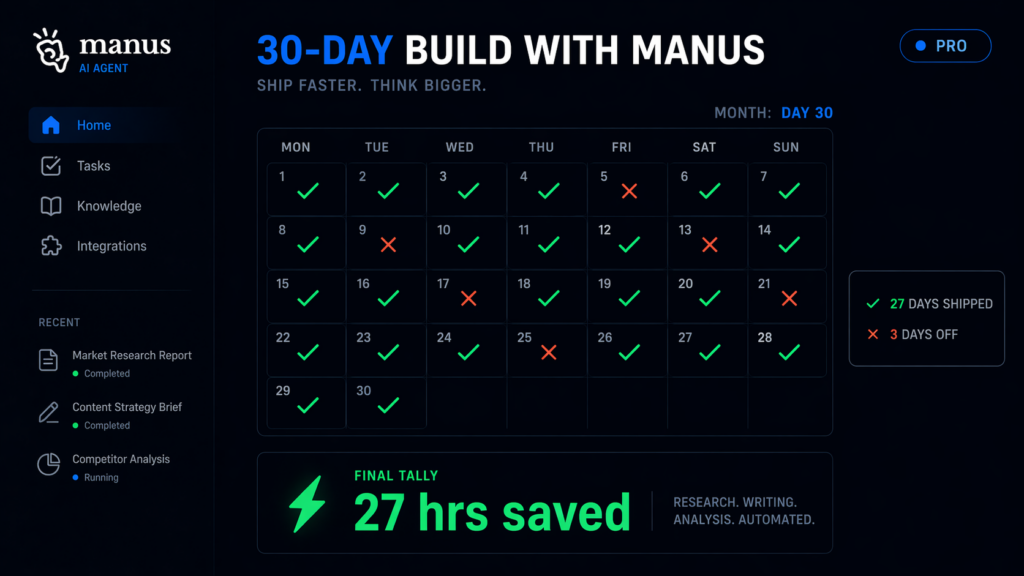
Here’s what my log actually looked like at the end of the month:
| Task Type | Times Used | Est. Hours Saved | Verdict |
| Competitive research | 6 | ~14 hrs | ✅ Worth it |
| Document summarization | 11 | ~4 hrs | ✅ Worth it |
| Content briefs | 4 | ~6 hrs | ✅ Worth it |
| Social media drafts | 8 | ~1 hr (net negative) | ❌ Skip it |
| Real-time pricing research | 3 | 0 (required verification) | ❌ Skip it |
| Structuring messy notes | 5 | ~3 hrs | ✅ Worth it |
| Short quick tasks | 9 | ~0 (prompt overhead) | ❌ Skip it |
Total estimated hours saved in 30 days: ~27 hours. At even a conservative $50/hr equivalent value, that’s $1,350 of reclaimed time for a $49 subscription. The math works — but only because I stopped using it for the wrong tasks after week one.
So — Is It Worth $49/Month?
Yes, if you regularly do research-heavy work, process long documents, or build structured outputs from scratch. For these tasks, Manus is not just worth $49 — it’s embarrassingly underpriced for what it replaces.
No, if you’re hoping it will handle creative, voice-dependent, or real-time-accuracy work without heavy supervision. It won’t. And if your primary use case is short tasks you could handle yourself in under 10 minutes, the prompt overhead will eat your time savings.
The honest version: Manus Pro paid for itself three times over in month one — but only after I stopped trying to use it for everything and got disciplined about where it actually adds value. The $49 isn’t the risk. The risk is spending the first two weeks using it wrong and deciding it doesn’t work.
🛠️ My Current AI Research Stack
- Manus Pro — For research reports, document summarization, and structured output tasks. Use it for tasks over 30 minutes, not quick lookups.
- Notion — Where Manus outputs land. I have a dedicated database for AI-generated research with a review status column so nothing ships unverified.
- Replit Agent — For when the research turns into a build. Manus plans it, Replit builds it.
📩 I’m doing this same 30-day ROI breakdown for Claude, Perplexity, and ChatGPT Pro next month.
Same format — task log, hours saved, honest verdict. Subscribe to The Edge and you’ll get all three before I publish them anywhere else.
→ Subscribe and get the full AI tool ROI series
Most “is it worth it” reviews end with “it depends.” That’s not useful. Here’s the actual answer:
If you’re a solo founder doing more than 3 hours of research or document work per week, Manus Pro pays for itself. Full stop. If you’re not, it doesn’t — and no amount of prompt engineering will change that, because the ROI comes from the task type, not the skill level.
Know your task list before you subscribe. Then decide.
– Alex