
It collapsed in production.
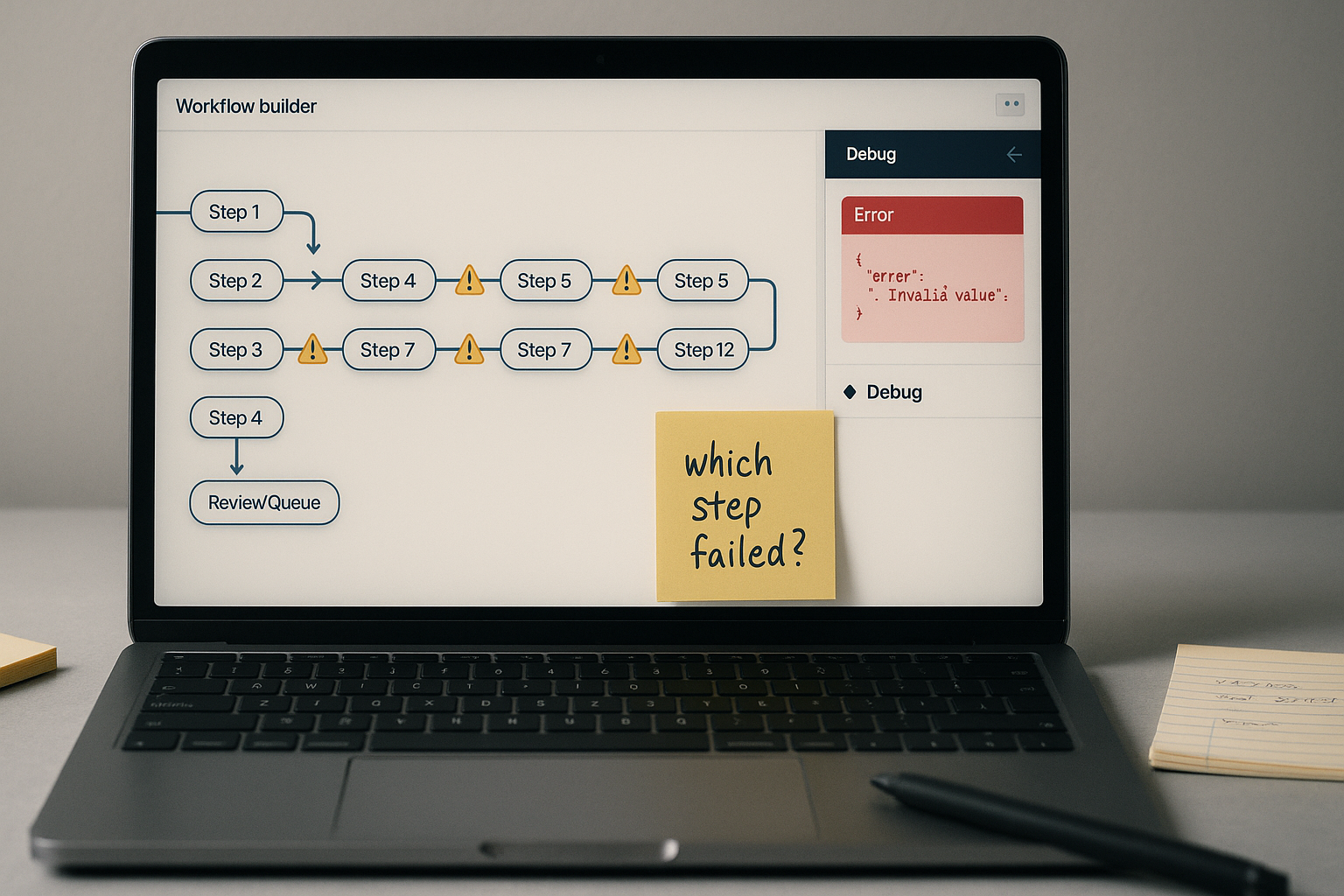
Not because the platform was buggy. Not because the API was unreliable. The system failed because it had grown into something no one could actually debug — a twelve-step chain where a single misfired node could silently corrupt every step downstream, and tracing the source took longer than doing the task by hand.
This is the complexity trap. And it is more common than the automation community wants to admit.
The Scalability Reality Check
- The Debugging Test: If you can’t isolate a failure within 2 minutes, you don’t have an automation—you have a technical liability.
- Invisible Labor: Are you paying for a tool only to have a human spend hours “babysitting” its logs? That’s negative ROI.
- The Monolith Trap: Why a 12-step “master workflow” is 10x more fragile than four 3-step modules.
- Scalability Check: If your system breaks when volume doubles, the architecture is the problem, not the API.
Decision Snapshot
Best for: Teams running automation that breaks more than once a week and can’t isolate why
Avoid if: Your workflow is still changing shape every two weeks — stabilize the process first
Reality: Refactoring a monolithic chain takes a few focused hours, but it prevents months of silent failure
Verdict: Modular automation is not more sophisticated — it is just less fragile
The Popular Advice That Makes This Worse
Search for “AI workflow automation” and most page-one results are comparison-style listicles — tool A versus tool B, ranked by feature count, with pricing blocks near the top. That is a signal: readers landing there are already evaluating platforms, not questioning whether their architecture is the problem.
The advice that floats to the surface is almost always additive. Add an error handler. Add a retry loop. Add a monitoring layer. Add another tool that watches the first tool.
The system gets larger. The failure surface grows with it.
The instinct to solve complexity with more complexity is understandable. It feels like engineering. It looks like problem-solving. But when a twelve-step automation starts breaking unpredictably, the fix is almost never adding a thirteenth step.
The problem is not missing components. The problem is that the whole thing is one component.
Diagnostic check: If you cannot answer “which sub-process failed and why” within two minutes of an error, your automation is a monolith. That is the first thing to verify before touching any settings.
What a Monolithic Chain Actually Looks Like
Here is the pattern that appears repeatedly in over-engineered setups:
A trigger fires. It pulls data from a source, formats it, passes it to an AI model, parses the output, conditionally routes based on that output, writes to a CRM, triggers a follow-up email, logs the result, checks a flag, and then notifies a Slack channel — all in a single connected flow.
It looks elegant in the canvas view. It is a maintenance disaster in practice.
When step seven fails because the AI output format shifted slightly, steps eight through twelve either run incorrectly or silently stop. The CRM gets a partial record. The email fires anyway. The log shows success. No alert triggers because technically no node threw an error — the data was just wrong.
This is not a tool bug. This is what happens when twelve responsibilities share one nervous system.
Failure condition one: A single schema change upstream invalidates every downstream assumption simultaneously, with no isolation point to catch it.
Failure condition two: Silent partial completion — the workflow “finishes” but produces corrupted output because there is no validation gate between functional stages.
The Simplification Rule
One rule covers most refactoring decisions:
A workflow should do one thing. If it does two things, it is two workflows.
This sounds obvious. It almost never gets applied. The reason is that building one long chain feels faster initially — fewer connections to configure, fewer triggers to manage. The debt arrives later, when debugging requires tracing logic across twelve nodes that were never designed to be inspected independently.
The simplification rule forces a question at every design stage: is this step part of the same function, or is it the start of a new one? If the answer is the latter, it belongs in a separate workflow that gets called when the first one succeeds.
Apply this now: Open your current automation canvas. Count the number of distinct business functions it performs — data collection, AI generation, validation, routing, notification, logging. If the count exceeds two, you have a refactoring candidate.
The Split-by-Function Pattern
The most reliable refactor for an over-engineered chain is splitting by function, not by step count.
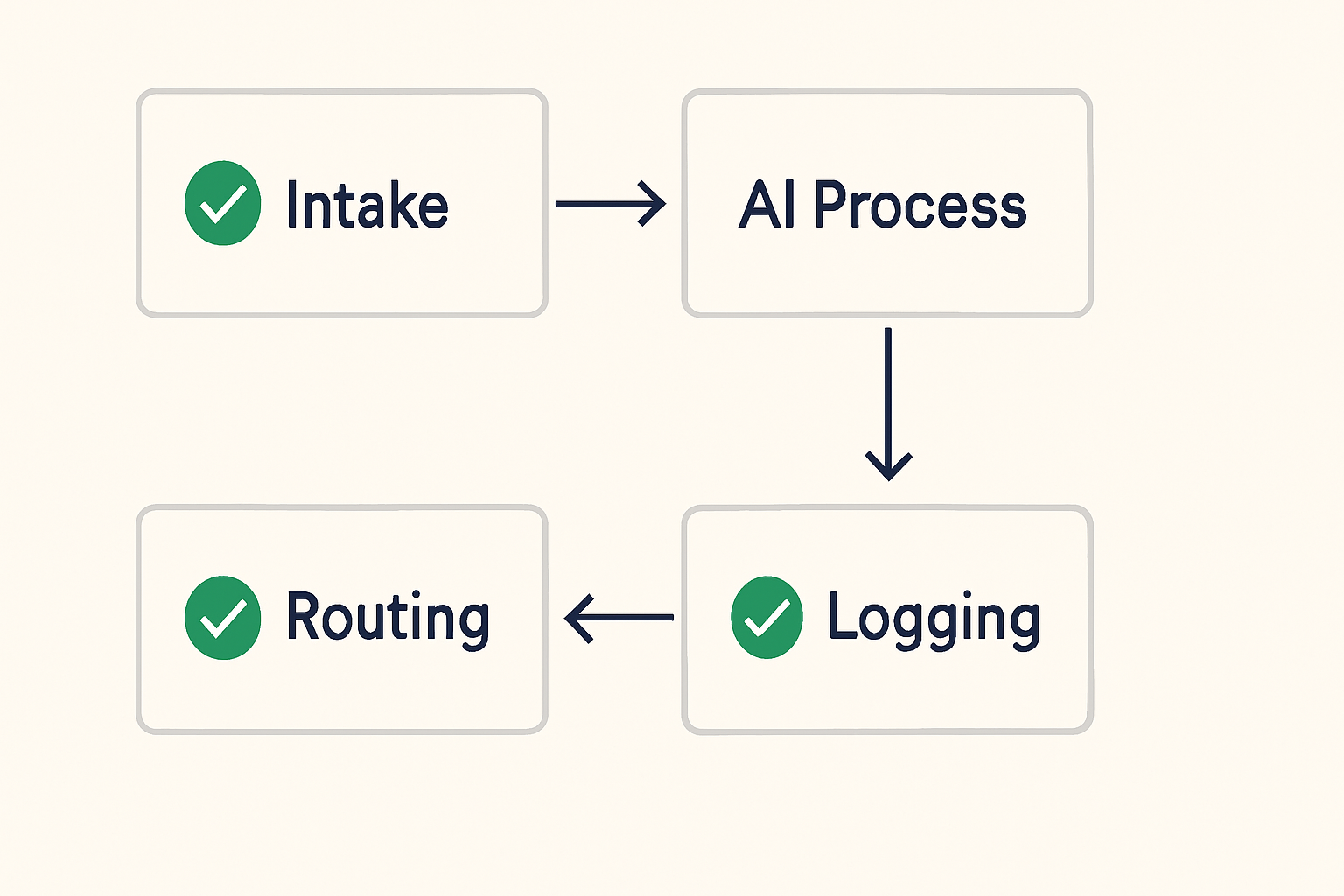
The original twelve-step monster described above splits cleanly into four sub-workflows:
- Intake and normalization — trigger fires, data is pulled, cleaned, and structured into a validated JSON object before anything else happens
- AI processing — the normalized input is passed to the model; output is parsed and validated against a closed schema before leaving this workflow
- Routing and action — the validated output is routed conditionally; CRM writes, email triggers, and follow-up logic live here
- Logging and notification — a separate workflow handles status logging and Slack alerts, triggered only after routing completes successfully
Each sub-workflow has one entry point, one exit condition, and one clear responsibility. When something breaks, you know immediately which function failed. You can test each in isolation. You can update one without touching the others.
The technical structure looks like this: the intake node normalizes the input and outputs a structured JSON object. The AI processing node receives only that validated JSON — not raw trigger data — and its output validation step checks the response against a closed field set before passing control downstream. Exceptions are routed to a review queue at the boundary between workflows, not buried inside step nine of a monolithic chain.
Before / After:
Before: Monolithic Chain
Trigger → fetch → format → AI call → parse → route → CRM write → email → log → flag check → notify → end
One failure point breaks everything. Debug time: unpredictable. Silent corruption: common.
After: Split-by-Function
Workflow 1: Trigger → fetch → normalize → validated JSON output
Workflow 2: JSON input → AI call → schema validation → exception gate → clean output
Workflow 3: Clean output → conditional routing → CRM write → email trigger
Workflow 4: Completion signal → log → notify
Failure is isolated. Debug time: roughly two minutes to identify the failing function. Silent corruption: blocked at validation gate.
In Make or n8n, this means creating four separate scenario or workflow files, connected by webhook calls or shared data stores between them — not four sections inside one canvas. The boundary is the execution boundary, not just a visual grouping.
In Make: Scenarios → Create New Scenario for each function. Use an HTTP module at the end of each scenario to trigger the next, passing only the validated output object.
In n8n: Workflows → Add Workflow for each function. Use the Webhook node as the entry point and the HTTP Request node to call the next workflow at the boundary.
Monolith vs. Modular: Operational Reality
DEBUG TIME
Monolith: Roughly 30–60 minutes to trace a failure across 12 nodes
Modular: Typically under 5 minutes to identify the failing function
SILENT FAILURE RISK
Monolith: High — downstream steps run on corrupted data with no alert
Modular: Low — validation gates at function boundaries catch bad data before it propagates
UPDATE COST
Monolith: Changing one step risks breaking unrelated downstream logic
Modular: Each function is updated independently without touching other workflows
BUSINESS EFFECT
Fewer silent correction loops. Faster diagnosis. Less invisible labor patching outputs that should never have passed validation.
The Profit Angle
You do not have a platform problem. You have someone quietly re-entering CRM records, re-triggering emails, and manually auditing outputs every day — and that labor is invisible on your P&L because it never shows up as a line item, only as capacity your team no longer has.
Where This Breaks
The split-by-function pattern is not universal. There are situations where it creates more overhead than it removes.
If your process genuinely changes shape every two weeks — new fields, new routing logic, new data sources — splitting into four workflows means maintaining four separate update cycles. A monolith is actually easier to change when the process itself is not yet stable. The modular approach works best when the function boundaries are settled and the only thing changing is edge-case handling within each function.
Splitting also does not fix a bad data model. If the input data is inconsistent — different field names from different sources, optional fields that sometimes appear and sometimes do not — modular workflows will fail at the validation gate just as reliably as a monolithic chain. The normalization function in Workflow 1 has to handle that variability explicitly, or every downstream function inherits the problem.
And if the total operation runs fewer than a handful of times per day, the maintenance overhead of four separate workflows may not be worth the organizational clarity. Small volume, stable process, tolerant stakeholders: a single well-commented workflow is fine.
The refactor earns its cost when the failure rate is high, the debug time is long, or the workflow is being maintained by more than one person.
The Refactor Checklist
Before splitting anything, run this sequence:
- List every distinct business function your current workflow performs. Write them out — do not guess from memory.
- Identify every place where one function’s output becomes another function’s input. Those are your split points.
- Define the validation gate at each split point: what does a valid output look like, and what should happen when it is invalid? Write this as a concrete condition, not a vague “check for errors.”
- Build Workflow 1 first. Run it in isolation with test data until the output is consistently valid. Do not proceed to Workflow 2 until Workflow 1 passes independently.
- Connect workflows using the smallest possible data object — only the fields the next function actually needs, not the full original payload.
- Test each connection point with a deliberately malformed input. Confirm that the validation gate catches it and routes it to review, not to the next step.
Copy-paste validation gate logic for Make/n8n (JSON condition pattern):
{
  "valid": true/false,
  "error_reason": "field_missing | schema_mismatch | null_value",
  "route": "continue | review_queue",
  "payload": { ...only fields required by next workflow... }
}
The routing node at each workflow boundary reads the route field. If the value is review_queue, the payload goes to a logging endpoint and the chain stops. No downstream step runs on bad data.
The Wrong Diagnosis Almost Always Comes First
The first instinct when a multi-step automation breaks is to blame the platform. The tool is buggy. The API is flaky. The AI model output is inconsistent.
Sometimes those things are true. More often, the platform is doing exactly what it was told to do — and what it was told to do was overengineered.
The tell is this: if the same workflow runs correctly on some inputs and fails on others, and the inputs look structurally similar, the problem is almost never the platform. It is a missing validation step that assumed inputs would always arrive in a specific shape. Once volume increased or edge cases appeared, the assumption broke.
Adding a retry loop to a workflow with a missing validation gate does not fix the problem. It makes the workflow fail more gracefully — and then fail again the next time the same malformed input arrives.
Diagnostic step: Before blaming the tool, check the execution logs for the last five failures. Look for the pattern in the input data, not the node that threw the error. The node is usually just the messenger.
Want the modular workflow template and validation gate config for Make and n8n?
Worth Knowing
A workflow that is too complex to debug is not an asset — it is a liability with a trigger. The system that runs quietly in four simple parts will always outlast the one that does everything at once.