
The first report looked right.
It still said nothing.
Three paragraphs about progress. One vague mention of blockers. A closing line about momentum. Leadership reads it, nods, and learns nothing they could act on. The writer spent 45 minutes on it. The reader spent 20 seconds.
That is not a writing problem. That is a constraint problem. And when the same report gets handed to ChatGPT without fixed constraints, the AI does the same thing — only faster, and with more confident-sounding filler.
What a Generic AI Report Actually Looks Like
Before touching the prompt, here is what most people get when they type “write my weekly report based on these notes” into ChatGPT:
Generic Output — The Report That Says Nothing
This week, the team made solid progress across several key initiatives. We continued to move forward on the product roadmap and addressed a number of challenges that came up. The marketing side saw some activity, and we are on track for the upcoming quarter. Overall, it was a productive week with good momentum going into next week.
Every sentence is technically true. None of them are useful. No metric. No decision. No signal a CMO could act on.
The assumption at this point is usually: the model isn’t smart enough. That assumption is wrong. The actual cause is that the prompt lacked structured constraints and specific field mapping. The model filled the vacuum with filler — because that is what unguided language models do when the output format is undefined.
The quality of the output is exactly equal to the specificity of the constraints. No constraints, no signal.
The Wrong Fix Most People Try
The first instinct is to add more context. More bullet points. A longer brain dump of the week’s activity fed into the prompt.
It does not help. More input with no output structure produces longer filler, not sharper signal. The model now has more raw material and still no framework for deciding what matters.
The fix is not more input. The fix is a defined output template that forces the model to sort, not summarize.
The Executive Summary Framework
The prompt system below is built around one rule: the model must think like a CMO reviewing the week, not a copywriter describing it.
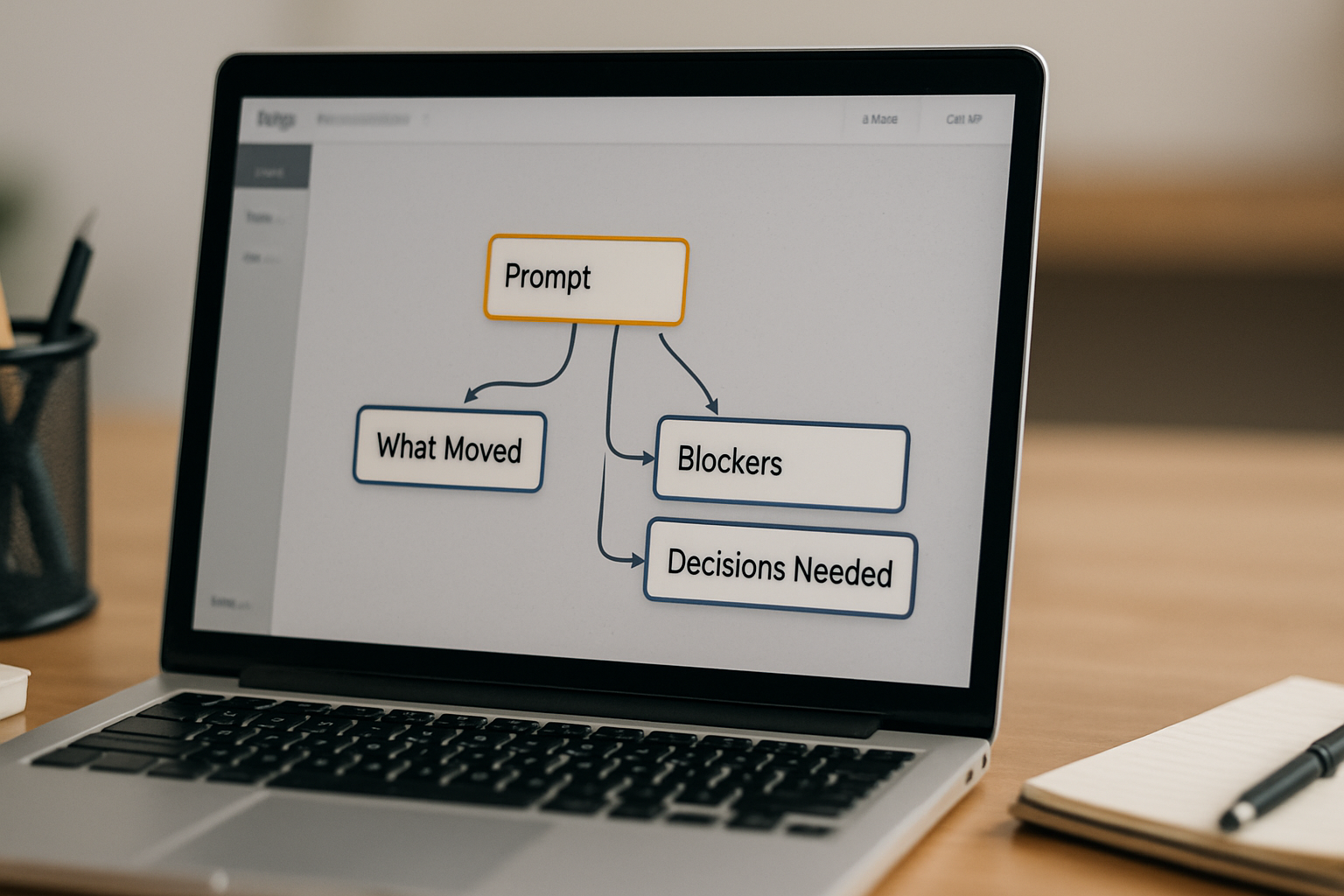
That means the output must answer three questions a decision-maker actually cares about:
- What moved? (metrics, milestones, status changes)
- What is blocked? (with a specific blocker, not a vague “challenge”)
- What needs a decision or action next week?
Anything that does not answer one of those three questions is filler. The prompt enforces this by mapping fields explicitly and adding a hard “No filler” rule in the instruction layer.
The Profit Angle
The hidden cost is not the 45 minutes spent writing. It is the decision that never gets made because the report gave leadership nothing to act on. That is a silent operational drag, and it compounds every week.
Before / After: Same Input, Different Prompt
Here is the same raw weekly input run through two different prompts.
Raw input used in both cases:
Before — Vague Prompt
Prompt: “Write a weekly report from these notes.”
This week saw strong activity across marketing and sales. The team launched an email campaign with positive engagement and published a new blog post that is gaining traction. A promising sales conversation is in progress, and the team is preparing a proposal. Some dependencies are being managed on the design side. The team is also preparing for upcoming planning sessions.
After — Structured Framework Prompt
Prompt: Executive Summary Framework (see below)
What moved: Email campaign live — 31% open rate, 4.2% click rate. Blog post at 800 views (3 days post-publish). Acme Corp call complete, proposal due Friday.
Blocked: Design team stalled — waiting on brand guidelines from client. No internal resolution available; client follow-up required by EOD Wednesday.
Decision needed: Confirm Q3 planning meeting agenda before Thursday. Assign proposal owner for Acme Corp by EOD Tuesday.
Same raw notes. Roughly 5 minutes of setup. The second version gives a leadership reader three actionable signals. The first gives them a comfortable feeling and nothing to do.
The Copy-Paste Prompt Template
This is the full prompt. Copy it, paste it into ChatGPT, and replace the bracketed fields with your actual week’s notes. Do not remove the “No filler” instruction — that line does real structural work.
Copy-Paste Prompt
You are a CMO writing an internal weekly executive summary. Your job is to extract signal, not describe activity.
Use ONLY the notes I provide. Do not invent or embellish.
Structure the output in exactly these three sections:
WHAT MOVED THIS WEEK
List only items with a measurable outcome, completed milestone, or confirmed status change. Include specific numbers if present. No filler. No “we continued to…”
CURRENT BLOCKERS
List only real blockers with a named cause. If something is delayed, name what is causing the delay. Do not use the word “challenge.” No filler.
DECISIONS OR ACTIONS NEEDED NEXT WEEK
List only items that require a decision, approval, or specific action from leadership or a named owner. Include a deadline if one exists. No filler.
If a note does not fit cleanly into one of these three sections, omit it.
Here are my notes for this week:
[PASTE YOUR WEEKLY NOTES HERE]
The three-section structure is the constraint. The “No filler” repetition is the enforcement. The “omit if it doesn’t fit” instruction is the quality gate. Remove any of those and the output drifts back toward generic.
What the Time Reality Looks Like
Manual report from scratch
Roughly 30–45 minutes. Involves scrolling Slack, calendar, email, and notes. Output is often still vague because the format is undefined.
With the Executive Summary Framework prompt
Roughly 5 minutes. Paste your bullet notes, run the prompt, do a 60-second human review for anything the model misread or omitted. Done.
Human review gate
Still required. For a typical 10-person team weekly report, budget about 2 minutes to verify that blockers are named correctly and no decision item is missing. The model occasionally flattens a nuanced blocker into a clean-sounding but inaccurate summary.
Where This Breaks
The framework does not solve everything. Three conditions will degrade the output:
1. Your input notes are too vague. If you paste “made progress on the campaign,” the model has nothing to map to a measurable outcome. Garbage in, filler out. The prompt requires notes with at least one specific number or named status per item.
2. The blocker is politically sensitive. If the real blocker involves a team conflict, a client relationship issue, or an internal decision that cannot be named plainly, the model will either soften it or omit it. A human has to write that line.
3. You are reporting to multiple audiences with different priorities. A single prompt output will not simultaneously serve a board, a marketing team lead, and an ops manager. The framework is optimized for one decision-maker reader. If your report has multiple audiences, run the prompt once per audience type with a different “you are writing for…” opener.
None of these are reasons to abandon the system. They are reasons to keep the human review step in the workflow.
The Validation Step
Before sending any AI-generated report, run this three-question check:
- Does every item in “What Moved” have a number, a name, or a confirmed status? If not, delete the item or go back to your notes.
- Does every blocker name the specific cause — not just “delays” or “dependencies”? If it says “waiting on feedback,” it must say from whom.
- Does every decision item have a named owner or deadline? If the answer is “TBD,” write that explicitly rather than leaving it vague.
If the output fails any of these three checks, the model either had insufficient input or the “No filler” constraint was removed. Re-run with tighter notes or restore the constraint.
Get the prompt pack for weekly reports, status updates, and client summaries.
Join the list and get the full Executive Summary prompt library — including variations for client-facing reports and board summaries.
Before You Go
The report was never the problem. The missing constraint was. Give the model a fixed output template with a hard no-filler rule, and the five-minute weekly report stops being a promise and starts being a workflow.