
The lead came in. The form fired. The CRM field stayed empty for four hours.
Not because the team was slow. Because no one had built the path from form submission to qualified contact. The lead sat in an inbox, waiting for a human to read it, decide where it belonged, and copy it somewhere useful. By the time that happened, the window had closed.
The assumption was that response time was a staffing problem. It wasn’t. Manual lead sorting was the bottleneck — and it was invisible because it looked like normal work.
This is the minimal Make.com structure that removes that bottleneck. Not the flexible, ten-branch, conditional-logic version. The one you can deploy in under 10 minutes that handles the 80% case.
What the Broken Version Looks Like
The first attempt at automating lead intake usually involves a form connected directly to a spreadsheet, with a manual step somewhere in the middle where someone decides if the lead is worth following up. That someone becomes the bottleneck.
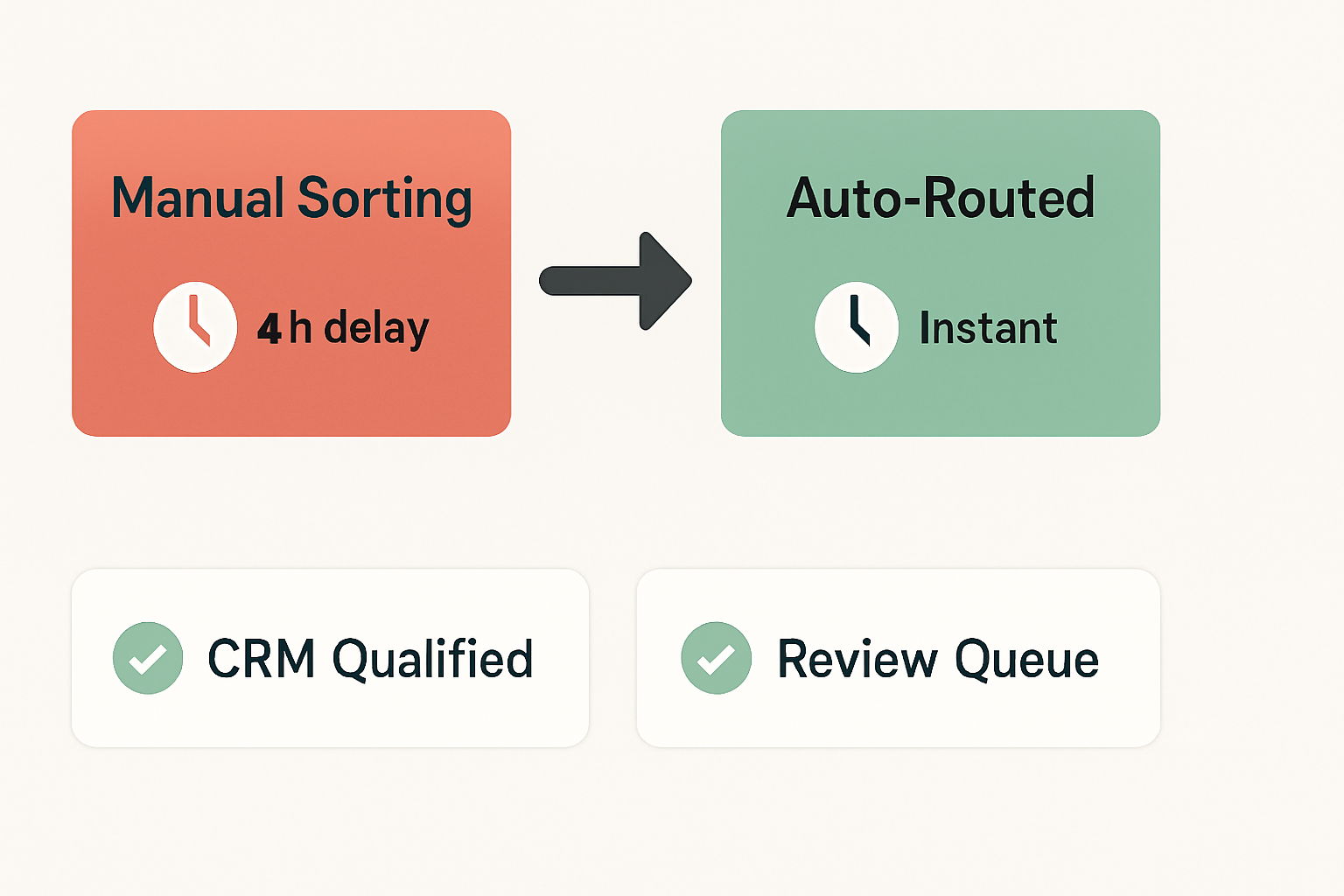
The form fires. The row appears in the sheet. Then nothing happens until a person opens the sheet, reads the row, decides it’s qualified, and either emails the lead or pastes it into the CRM. That gap — between submission and first contact — is where most lead value evaporates.
The structural difference is not complexity. It’s that the decision point moved from a human inbox to a workflow condition. That shift alone compresses a multi-hour lag into something that fires in seconds.
The Minimal Working Structure: Three Nodes, No Extras
The goal here is a working intake flow, not an impressive one. Resist adding nodes until this version is live.
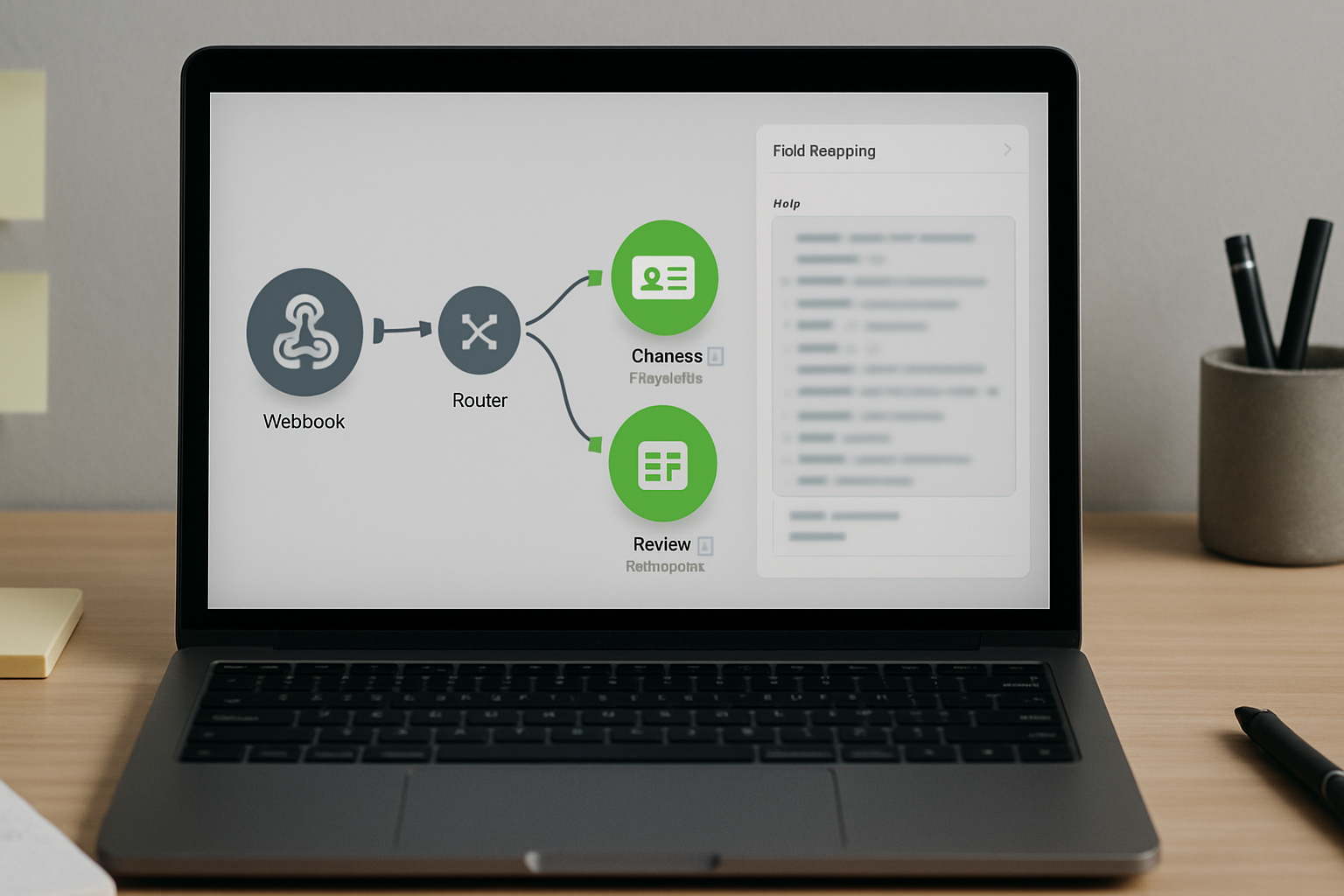
The sequence runs like this: a webhook trigger receives the form payload, a router evaluates one qualification condition, and an output node writes the result to either the CRM or a fallback destination. That’s the entire flow.
- The trigger node is a Webhooks > Custom webhook module in Make. Copy the generated URL and paste it into your form’s submission endpoint. Every form submission sends a JSON payload to this URL. The trigger fires immediately on submission — no polling, no delay. Make sure your form tool supports webhook output; Typeform, Tally, and most custom HTML forms do this natively under Integrations → Webhooks or the equivalent settings panel.
- The router node is a Router module placed directly after the trigger. Set one condition: if
{{1.budget}}is greater than your qualification threshold, route to Path A. Everything else routes to Path B. One field. One split. The router does not need to evaluate five variables to be useful — it needs to make one binary decision fast. You can find the Router under Flow Control → Router in the Make module library. - The output node on Path A is a CRM module — HubSpot > Create/Update Contact, Salesforce > Create Record, or whichever CRM your team uses. Map
{{1.email}},{{1.name}}, and{{1.company}}from the trigger payload. Add a lifecycle stage field set toMarketing Qualified Lead. On Path B, the output is either a Gmail > Send an Email module pointing to whoever handles unqualified intake, or a Google Sheets > Add a Row module for a review queue. Path B is not a dead end — it’s a holding lane.
Total build time for this structure, assuming your form is already live and your CRM credentials are connected in Make: roughly 8 to 10 minutes. If credentials need to be set up first, add another 5 minutes for OAuth under Connections → Add in Make’s left sidebar.
The Wrong Assumption That Costs an Hour
The most common mistake in this build is trying to qualify on multiple fields at once. Budget AND company size AND job title. The router gets three branches, each with compound conditions, and suddenly the flow requires testing every combination before it can go live.
That version does not ship in 10 minutes. It ships in three days, after someone has debugged why Path B fires even when the budget field is above threshold — usually because one field name in the form payload uses company_size but the router condition references companySize and Make treats them as different keys.
The fix is to qualify on one field only. Pick the single highest-signal variable your form collects. Budget works. Project timeline works. Service type works if you have a clear mapping. One field, one split. You can add a second qualification layer after the first version has been running for a week and you’ve confirmed the webhook payload structure is stable.
To verify the payload structure before building the router: run the scenario once in Make, click on the trigger module’s output bubble, and inspect the parsed JSON. Every field name is visible there. Match your router condition keys exactly to what appears in that output — not what you expect the form to send.
The Profit Angle
You do not have a staffing problem. You have someone reading form submissions, deciding which ones matter, and copy-pasting rows into a CRM every day — and that labor is invisible because it looks like diligence rather than a missing automation node.
What to Skip to Avoid Overengineering
The version that ships is not the version with the most features. Here’s what to leave out of the first build:
Skip lead scoring. A numeric score calculated from five fields sounds useful. It also requires mapping every field, writing scoring logic, and handling null values when a field is left blank. That’s a second project. The router condition on one field is a binary score — it works the same way with a fraction of the build time.
Skip the notification branch for every team member. One output per path. If the qualified lead goes to the CRM, the CRM handles notification. If the unqualified lead goes to the review queue, the person who owns that queue checks it. Do not add a Slack notification AND an email AND a CRM update in the first version. Pick one output per path and move on.
Skip deduplication logic. Make has a Tools > Get Variable module that can help with this, and some CRM modules handle duplicate detection natively. But building deduplication into the first version adds at least two nodes and a potential failure point. Let the CRM handle duplicates through its built-in matching rules. Configure that under your CRM’s Settings → Duplicate Management or equivalent, not inside Make.
Skip error handling for the first week. Make’s built-in scenario error notification, found under Scenario Settings → Error Handling, will alert you if the scenario fails. That’s enough. Custom error branches that route failures to a separate review queue are useful at scale — they’re unnecessary when you’re still validating that the webhook payload arrives correctly.
The Scenario That Actually Ran
Here is the pattern that removes the bottleneck described above — not as a promise, but as a replicable structure.
Form submission arrives via webhook. The trigger module in Make parses the payload and exposes every field as a mapped variable. The router checks {{1.budget}} against a fixed threshold — say, 5000. If the value is greater than or equal to that number, the HubSpot module fires: it creates or updates the contact, sets lifecyclestage to marketingqualifiedlead, and writes the source as web_form. If the value is below threshold, a Google Sheets module appends the row to a review tab with a timestamp column populated by {{now}}.
The entire scenario runs in under 5 seconds from submission. The review queue gets a timestamped row. The CRM gets a tagged contact. No human touched either path.
Before this structure: a qualified lead submitted at 9 AM might get a first response after lunch, if the person sorting the inbox was not in a meeting. After this structure: the CRM contact exists within seconds, and whatever follow-up sequence the CRM triggers — whether that’s an automated email or a sales task — fires immediately.
That compression — from hours to seconds — is not a feature of Make specifically. It’s what happens when the decision point stops being a human inbox and starts being a router condition.
Where This Breaks
This structure has a hard failure condition: if the qualification field is optional on the form, the router will misroute every submission where that field is blank. A blank {{1.budget}} does not equal zero in Make’s evaluation — it equals null, and null is not greater than 5000, so every blank submission routes to Path B. If your form allows the budget field to be skipped, add a filter before the router that checks whether {{1.budget}} exists. Under Filters in Make, set the condition to budget → Exists. Submissions missing the field route to a separate fallback branch, not to the qualified path or the standard review queue.
This workflow also does not handle lead quality beyond the single threshold. A contact who enters a budget of 100,000 and a fake email address passes the router condition and lands in the CRM as a qualified lead. Email validation is a separate layer — tools like NeverBounce or ZeroBounce have Make-compatible modules, but adding one adds build time and a second API credential. That’s a second iteration, not a first-version requirement.
Finally, this structure is not built for high-volume intake where the same contact submits multiple times across different campaigns. At that scale, deduplication logic inside Make becomes necessary, and the three-node structure starts to grow. For a single campaign or a steady form with moderate volume, the minimal version holds.
Get the exact setup notes. If you want the field mapping template and the router condition syntax for this flow, join the list. The next breakdown covers the second iteration — adding email validation and a second qualification layer without rebuilding from scratch.
Before You Go
The bottleneck was never the team. It was a missing router condition between a form submission and a CRM field — and that gap cost hours of response time on every lead that came in while someone was busy doing something else.