
The API call returns a validation error. The schema looks fine. You’ve read it three times and nothing jumps out. Then you add logging, stare at the raw request body, and finally see it: the root key says parameters instead of input_schema, and every nested object is missing an explicit "type": "object" declaration. The whole thing silently fails at the schema validation layer before Claude ever sees your tool definition.
This is not an edge case. It’s the most common failure pattern when migrating from OpenAI-style tool definitions to the Anthropic API, and the error messages it returns are vague enough that the wrong assumption holds for longer than it should.
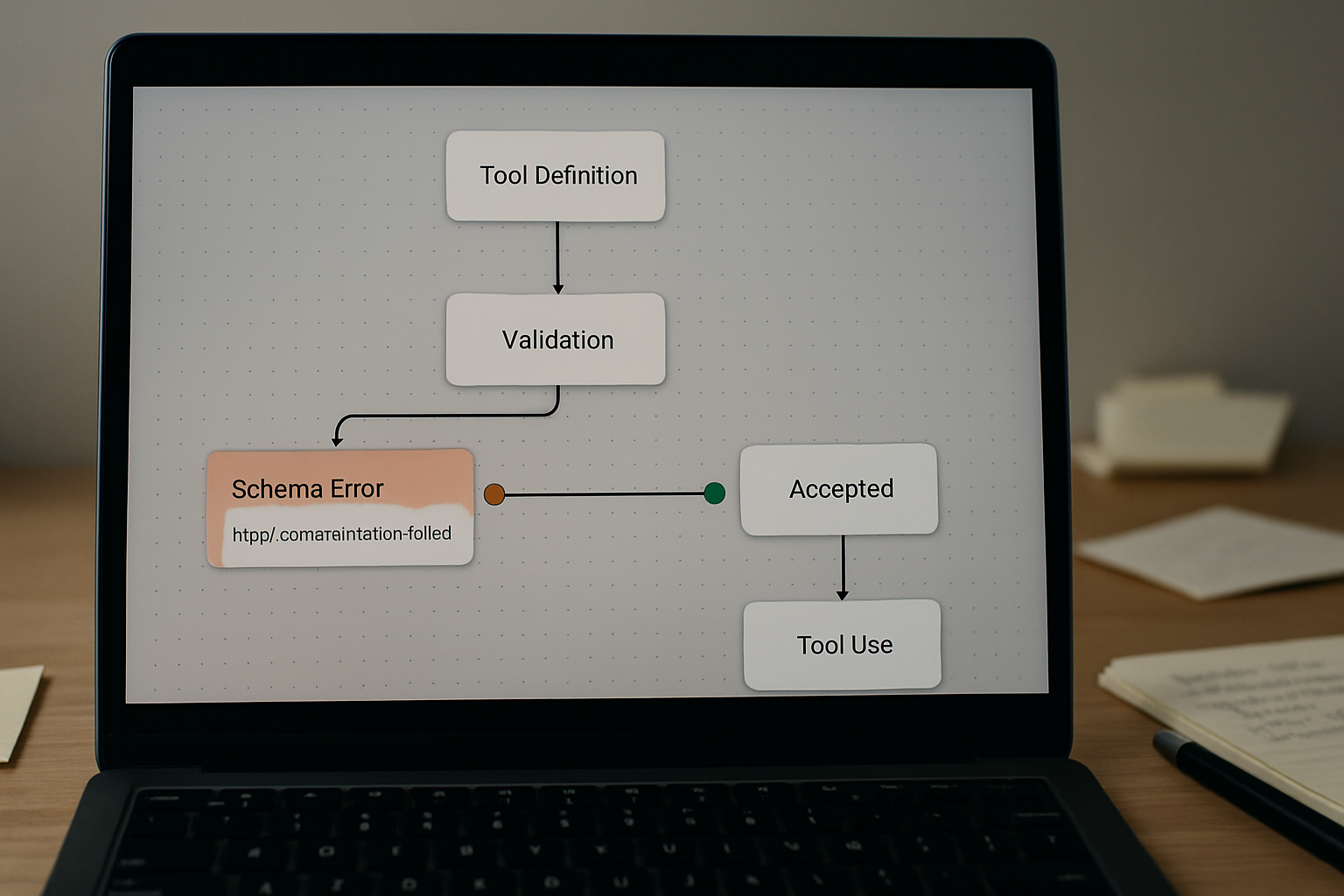
Where the Chain Breaks
The failure isn’t random. It follows a predictable cascade: you write a tool definition that looks structurally sound, the API rejects it at request time with a JSON schema validation error, and because the message doesn’t point at a specific field, you start debugging the wrong layer — checking your HTTP headers, your API key, your model version.
The actual rejection is happening one level deeper. Claude’s tool use spec requires the tool definition to follow JSON Schema Draft 7 conventions strictly. That means every object — including nested ones — must carry an explicit "type" declaration. It also means the wrapper key for your parameter schema must be input_schema, not parameters. OpenAI uses parameters. Anthropic does not. When you port a working OpenAI tool definition without changing that key, the entire request fails, and the error message will tell you something about schema validation without telling you which field is wrong.
The second failure point fires after the first is fixed: you correct the root key to input_schema, the request goes through, but Claude returns a tool_use block your runner can’t parse because a nested object inside the schema is still missing its "type": "object" field. Now the API accepted the definition but the output doesn’t conform to what your code expects. Two different failure modes, both triggered by the same incomplete migration.
The Schema Mismatch in Plain View
Here’s what the broken version looks like — the kind of definition that gets copy-pasted from an OpenAI integration and dropped straight into an Anthropic request:
{
  "name": "get_customer_order",
  "description": "Retrieve order details for a given customer ID and date range.",
  "parameters": {
    "type": "object",
    "properties": {
      "customer_id": {
        "type": "string",
        "description": "Unique identifier for the customer."
      },
      "date_range": {
        "description": "Start and end dates for the query.",
        "properties": {
          "start_date": { "type": "string" },
          "end_date": { "type": "string" }
        }
      }
    },
    "required": ["customer_id", "date_range"]
  }
}
Two problems in that block: the root key is parameters, and the nested date_range object has no "type": "object" field. The API will reject this. The corrected version:
{
  "name": "get_customer_order",
  "description": "Retrieve order details for a given customer ID and date range.",
  "input_schema": {
    "type": "object",
    "properties": {
      "customer_id": {
        "type": "string",
        "description": "Unique identifier for the customer."
      },
      "date_range": {
        "type": "object",
        "description": "Start and end dates for the query.",
        "properties": {
          "start_date": { "type": "string" },
          "end_date": { "type": "string" }
        },
        "required": ["start_date", "end_date"]
      }
    },
    "required": ["customer_id", "date_range"]
  }
}
Root key changed to input_schema. The nested object now carries "type": "object" explicitly. The required array on the nested object is also present — technically optional at the nested level, but if you omit it and Claude tries to call the tool with a partial payload, your downstream handler will throw a key error before you ever get to business logic.
Error Messages and What They’re Actually Pointing At
The Anthropic API returns two distinct failure shapes for tool schema problems, and they fire at different stages.
Request-time rejection — the API refuses to process the request at all. The response body typically contains something like "error": {"type": "invalid_request_error", "message": "tools.0.custom.input_schema: JSON Schema validation failed"}. The path fragment tools.0.custom.input_schema is the signal: it’s telling you the schema at index zero of your tools array failed validation. This fires when input_schema is missing entirely, when the root "type": "object" is absent, or when you’ve used a key like parameters that the spec doesn’t recognize.
Output-time mismatch — the request succeeds, Claude generates a tool_use content block, but the arguments JSON doesn’t match what your runner expected. This usually traces back to a nested object that was defined without "type": "object", which means the schema was technically parseable but structurally ambiguous. Claude may still generate a valid-looking call, but your validation layer — if you have one — will reject it, and if you don’t, you’ll get a runtime key error two steps later.
The real ROI of fixing this correctly the first time is that you stop carrying a silent correction burden — someone (or some retry loop) quietly catching malformed tool calls and re-running them. For a workflow that fires tools dozens of times per session, that correction overhead compounds fast.
A Minimal Working Example
Below is a complete, validated tool definition that passes Anthropic’s schema check and produces consistent tool_use output. Use this as a structural reference when building or auditing your own definitions:
{
  "name": "search_knowledge_base",
  "description": "Search the internal knowledge base and return matching article summaries.",
  "input_schema": {
    "type": "object",
    "properties": {
      "query": {
        "type": "string",
        "description": "The search query string."
      },
      "filters": {
        "type": "object",
        "description": "Optional filters to narrow search results.",
        "properties": {
          "category": {
            "type": "string",
            "description": "Content category, e.g. 'billing', 'technical', 'onboarding'."
          },
          "max_results": {
            "type": "integer",
            "description": "Maximum number of results to return. Default is 5."
          }
        }
      }
    },
    "required": ["query"]
  }
}
Every object in the tree — root and nested — carries an explicit "type" field. The required array lives at the root level and lists only the fields that must always be present. Optional nested objects like filters are defined with their own type but not added to the root required array. This is the pattern the spec expects.
What This Does Not Solve
Fixing the schema structure eliminates request-time and output-time validation failures, but it does not solve everything that can go wrong with tool use.
If your tool description is too vague, Claude may call the tool with semantically correct but practically useless arguments — valid JSON that passes schema validation but doesn’t reflect what the user actually asked. Schema correctness and prompt quality are separate concerns. A well-formed schema with a weak description still produces tool calls you’ll need to filter downstream.
Schema fixes also don’t address additionalProperties handling. If you define a strict schema without setting "additionalProperties": false and Claude returns a tool call with extra fields your handler doesn’t expect, your code will either ignore them silently or throw depending on how your parser is configured. For production integrations where strict output contracts matter, add "additionalProperties": false explicitly at each object level — but be aware that this can cause Claude to omit fields it would otherwise include as helpful context.
Finally, oneOf and anyOf constructs in tool schemas are technically supported but increase the chance of Claude generating calls that satisfy one branch while breaking your runtime expectation of another. If you’re using union types in your schema, test each branch explicitly before shipping.

Validation Checklist Before You Ship
- Confirm the root wrapper key is
input_schema, notparameters,schema, or any other variant — this single field name mismatch is the most common migration error from OpenAI-style definitions. - Verify that every object in the schema tree — including nested objects at any depth — has an explicit
"type": "object"field; JSON Schema Draft 7 does not infer type from the presence of apropertiesblock. - Check that the root-level
input_schemaobject itself carries"type": "object"as a direct child field, not just inside a nested property. - Confirm the
requiredarray contains only field names that actually appear in the samepropertiesblock — referencing a field name that doesn’t exist inpropertiescauses a silent schema validation failure that produces no useful error path. - If you’re using integer or number types, verify that Claude’s output for those fields will not arrive as a string — tool call arguments come back as JSON, but if your description says “pass as a string like ‘5’” you’ll get a string, not an integer, regardless of the type declaration in the schema.
- Run the schema through a JSON Schema Draft 7 validator (such as the
jsonschemaPython library or an online validator) before sending it to the API — catching structural errors locally takes roughly ten seconds and eliminates the need to interpret Anthropic’s validation error paths.
If the validator still returns a schema error after applying the above fixes, the next place to check is whether you’re wrapping the tool definition inside an extra object layer — some SDK versions and community wrappers add a custom key around the schema, which shifts the expected path and breaks validation in a way that looks identical to the missing-field errors above. Strip any wrapper keys and pass the flat tool definition object directly.
Get the tool schema template pack — includes validated definitions for single-param, nested-object, and optional-filter patterns, plus a one-file Python validator you can run locally before any API call. Join the list to get the setup notes.
If a tool call is failing and the schema looks structurally correct, check whether the required array references a field name with a different casing than its properties key — JSON Schema is case-sensitive, and customerId in required will not match customer_id in properties. That mismatch passes most visual inspections and fails silently at runtime.