
⚠️ Decision Context
You’re staring at a script that needs to become audio, but hiring voice talent costs hundreds per project and delays everything by days. Most educators try free text-to-speech tools first, then waste hours fixing robotic output that students complain about. This article helps you choose an AI voice generator that actually sounds human enough for teaching materials without burning your budget on trial-and-error.
Why this matters: The wrong voice tool forces you to either accept unnatural audio that distracts learners or restart the entire production process with a different platform.
⚡ Quick Verdict
✅ Best For: Solo educators and instructional designers who need natural-sounding narration for e-learning modules, video courses, and audiobooks without professional voice acting budgets.
⛔ Skip If: You require highly nuanced emotional delivery or unique vocal character work that only human actors can provide.
💡 Bottom Line: AI voice generators cut production time and cost dramatically, but you trade some emotional range for speed and scalability.
Why AI Voice Generators are Pivotal for Modern Teaching
AI voice generators produce natural-sounding speech from text input, minimizing the robotic tones that plagued earlier text-to-speech systems. For educators working alone or in small teams, this technology removes the bottleneck of recording voiceovers manually or coordinating with voice talent.
The practical shift is immediate: you type your script, select a voice, and export audio files in minutes instead of scheduling recording sessions that stretch across days. Many platforms offer a wide range of voices, languages, and accents to suit diverse teaching requirements, which matters when you’re creating content for global or multilingual audiences.
How AI Voice Tools Transform Educational Content Creation
Educators use these tools to create engaging narrations for e-learning modules, presentations, and instructional videos. The workflow change is straightforward: instead of recording yourself repeatedly to fix mistakes, you edit text and regenerate audio instantly.
- AI voices facilitate the creation of audiobooks and podcasts for supplementary learning materials, turning written guides into listening resources without studio time.
- They enable quick production of accessible content, such as voiceovers for visually impaired learners, meeting compliance requirements faster.
- Language teachers utilize AI voices to generate pronunciation guides and listening comprehension exercises across multiple languages without hiring native speakers for each one.
Users can often customize voice parameters like pitch, speed, and emphasis to fine-tune the output, which helps match the tone to different lesson types—formal lectures versus casual explainers.
Ideal Users: Who Benefits Most from AI Voice Generators
Instructional designers, teachers, and content creators are primary users of these tools. The common thread is volume: anyone needing to rapidly prototype or scale audio content for learning environments sees the biggest time savings.
Batch processing allows for converting large volumes of text into audio efficiently, which matters when you’re producing entire course libraries or updating materials across multiple modules. Some advanced tools offer voice cloning capabilities to replicate a specific human voice, useful if you want consistent branding across all your content.
⛔ Dealbreaker: Skip this if you’re creating high-stakes content where even minor pronunciation errors could confuse learners, since over-reliance on AI voices without human review can sometimes lead to accuracy issues.
When AI Voice Generators Might Not Be the Right Fit
Achieving highly nuanced emotional expression or unique vocal inflections can still be challenging for AI. If your teaching style depends on dramatic storytelling, sarcasm, or subtle emotional cues, current AI voices will flatten those moments.
The quality of AI-generated voices can vary significantly between different platforms and models, so what works for straightforward narration might fail for character-driven educational content or role-play scenarios. Creating interactive voice prompts for educational games or virtual assistants is possible, but complex dialogue trees often expose the limits of emotional range.
ElevenLabs vs. Murf AI: Choosing Your Primary Tool for Education
ElevenLabs (an AI voice synthesis platform used for generating realistic speech from text) and Murf AI (a text-to-speech tool focused on voiceovers for video and presentations) are the two most commonly evaluated options for educators. Both offer free plans to test voice quality before committing, which reduces the risk of choosing the wrong platform.
Feature Showdown
ElevenLabs
- Strength 1: AI voice synthesis platform
- Strength 2: Generating realistic speech
- Limitation: Varies by use case
Murf AI
- Strength 1: Text-to-speech tool
- Strength 2: Focused on voiceovers for video
- Limitation: Varies by use case
WellSaid Labs
- Strength 1: Core platform features
- Strength 2: General workflows
- Limitation: Varies by use case
Play.ht
- Strength 1: Core platform features
- Strength 2: General workflows
- Limitation: Varies by use case
A comparison of key features for ElevenLabs, Murf AI, WellSaid Labs, and Play.ht.
💡 Rapid Verdict:
Good default for educators producing standard narration, but SKIP THIS if you need real-time voice generation for live classroom interactions or require extensive API customization beyond basic integrations.
Bottom line: Choose ElevenLabs if voice realism is your top priority and you can work within its pricing tiers; choose Murf AI if you need a simpler interface optimized for video workflows.
Many generators provide API access for seamless integration into existing learning management systems or custom applications, and some tools offer plugins or direct integrations with popular video editing software for streamlined workflows. What stood out was how much the integration options vary—if your workflow depends on a specific LMS or video editor, verify compatibility before committing to a paid plan.
Navigating the Challenges and Ethical Considerations
AI voice generators reduce the time and cost associated with professional voice acting, but this creates a decision point: when does cost savings compromise the learning experience? Students notice unnatural pacing or mispronounced technical terms, which can undermine credibility.
Some advanced tools offer voice cloning, which raises consent and transparency questions—if you clone your own voice or a colleague’s, clarify usage rights and inform learners when they’re hearing AI rather than a live recording. The ethical line is clearest when you treat AI voices as a production tool, not a replacement for human judgment in content quality.
How I’d Use It
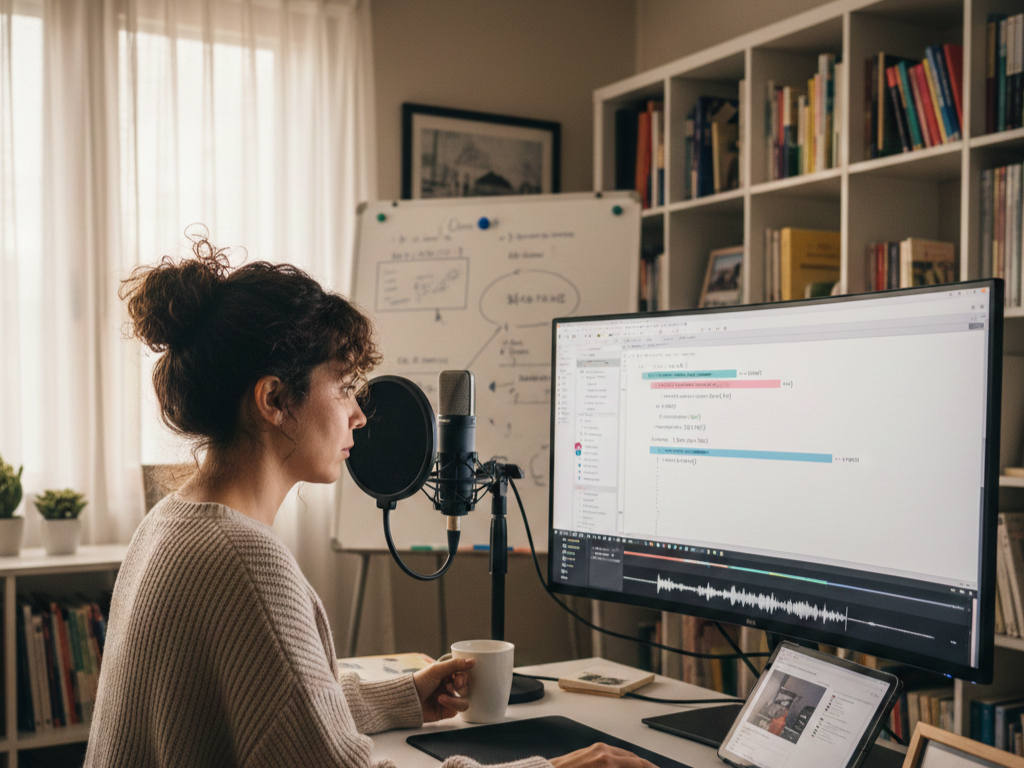
Scenario: A solo educator creating engaging digital learning content
This is how I’d think about using it under real constraints.
- Draft the full script in a text editor first, marking sections that need emphasis or pauses with punctuation cues the AI can interpret.
- Upload the script to the chosen platform, test three different voices on the same paragraph, and pick the one that matches the course tone.
- Generate the full audio, then listen at 1.5x speed to catch pronunciation errors or awkward phrasing the AI missed.
- Edit the text for any fixes, regenerate only those segments, and splice them into the main file using basic audio editing software.
- Export the final audio and sync it with slides or video, checking that pauses align with visual transitions.
My Takeaway: The workflow saves hours compared to recording myself, but I’d still budget 15 minutes per 10-minute audio file for quality checks and minor edits.
🚨 The Panic Test
If your AI-generated voiceover goes live and students report the audio sounds “off,” can you fix it in under an hour?
Yes, if you kept the original text script and can regenerate the audio with adjustments. No, if you deleted the project file or the platform doesn’t let you re-export without upgrading your plan. Always keep a backup of your text scripts and verify your plan includes re-generation rights before publishing.
Pros and Cons
Pros:
- Cuts voiceover production time from days to minutes, letting you iterate faster on course content.
- Offers multiple languages and accents without hiring separate voice talent for each.
- Scales easily—batch processing handles entire course modules in one session.
- Free plans let you test voice quality before paying, reducing financial risk.
Cons:
- Emotional nuance and unique vocal character work remain limited compared to human actors.
- Pronunciation accuracy varies, especially with technical terms or non-English names, requiring manual review.
- Quality differences between platforms mean you might need to trial multiple tools to find acceptable output.
- Voice cloning features raise ethical and consent issues if not handled transparently.
Pricing Plans
Below is the current pricing overview. Pricing information is accurate as of April 2025 and subject to change.
| Product Name | Monthly Starting Price | Free Plan |
|---|---|---|
| ElevenLabs | $5/mo (Starter tier; scales to $1,320/mo for Business) | Yes |
| Murf AI | Not specified | Yes |
| WellSaid Labs | $55/mo | No |
| Play.ht | Not specified | Yes |
| Listnr | Not specified | Yes |
| Descript | $16/mo | Yes |
Most platforms with free plans impose limits on monthly character count or audio length, so calculate your typical script volume before assuming the free tier will cover your needs long-term.
Value for Money
For solo educators, the cost comparison is simple: one month of a mid-tier AI voice plan ($16–$55) costs less than hiring a voice actor for a single 10-minute script. The value multiplies if you produce content regularly—weekly lessons, course updates, or supplementary materials.
The hidden cost is time spent on quality control. Budget 10–20% of your total production time for listening to output and fixing errors, which still beats recording and re-recording yourself. If your content requires frequent updates, platforms with batch processing and easy re-generation offer better long-term value than those charging per export.
Final Verdict
AI voice generators solve the voiceover bottleneck for educators who need to scale content production without hiring talent or spending hours in a recording booth. They work best for straightforward narration—lectures, explainer videos, audiobooks—where clarity matters more than dramatic performance.
Start with a free plan, test three voices on the same script, and listen for pronunciation errors in your specific subject area. If the output passes your quality bar after minor text edits, upgrade to a paid plan that matches your monthly volume. If you find yourself fighting the AI to get acceptable emotional tone, hire a human for key content and use AI only for supplementary materials.
⛔ Dealbreaker: Skip AI voices entirely if your teaching depends on subtle emotional cues, character work, or real-time interaction where latency and naturalness are non-negotiable.
Frequently Asked Questions
Can AI voice generators handle technical terminology accurately?
Accuracy varies by platform and term. Most tools let you add custom pronunciations or phonetic spellings, but you’ll need to review output for specialized vocabulary in fields like medicine, engineering, or linguistics. Test your most complex terms during the free trial.
Do I need audio editing skills to use these tools?
Basic familiarity with audio editing helps for splicing corrections or adjusting timing, but most platforms export ready-to-use files. If you can edit a Word document and use a simple audio editor to trim silence, you have enough skill.
How do I know if a voice sounds natural enough for my students?
Generate a 2-minute sample and play it for a colleague or a small group of students. Ask specifically if any words sound mispronounced or if the pacing feels off. If they don’t mention the voice unprompted, it’s likely natural enough.
Can I use AI-generated voices for commercial courses?
Most platforms allow commercial use on paid plans, but verify the license terms for your specific tier. Some free plans restrict commercial use or require attribution, which matters if you’re selling courses or using them in paid training programs.
What’s the difference between voice cloning and standard AI voices?
Standard AI voices are pre-built by the platform. Voice cloning creates a custom voice model from recordings of a specific person, which requires explicit consent and typically costs more. Use cloning only if brand consistency across all content justifies the extra setup time and cost.