
The Battle for Your Boredom: Otter.ai vs. Fireflies.ai — I Used Both for a Full Week So You Don’t Have To
I have been in 11 meetings this week. I remember approximately none of them. Not because I wasn’t paying attention — but because Otter.ai and Fireflies.ai were paying attention for me, and I wanted to see which one actually earns that trust.
This isn’t a spec-sheet comparison. I ran both tools simultaneously on real calls — client meetings, internal standups, a chaotic 9-person brainstorm where three people talked over each other for 40 minutes. Here’s what actually happened.

Round 1 — Transcription Accuracy: Who Actually Heard What Was Said?
Both tools have gotten dramatically better at speaker identification. In 2024, you needed to manually label voices after the fact. In 2026, OtterPilot identifies speakers within the first 30 seconds of a call using voice pattern recognition — no setup required. On a 6-person Zoom, it correctly attributed 94% of statements to the right speaker across my test week. The 6% errors were almost all when two people spoke simultaneously.
Fireflies was close — roughly 91% accuracy on the same calls — but it stumbled more on non-native English speakers, occasionally merging two speakers into one label. For a global team, that gap matters.
Winner: Otter. If your meetings are fast, overlapping, and multi-speaker, nothing beats it for raw transcription fidelity.
Round 2 — The Feature That Actually Changed How I Work
Here’s where it gets interesting. Otter added sentiment analysis to its summaries in late 2025 — and I didn’t expect to care about it until I saw it in action. After a client call I thought had gone well, Otter flagged the client’s tone as “hesitant” during the pricing discussion, with a timestamp. I went back, listened, and it was right. I followed up differently than I would have. We kept the deal.
That is not a feature. That is a competitive advantage.
Fireflies, meanwhile, doesn’t do sentiment — but it does something Otter can’t match: it turns spoken commitments into tasks before the call ends. “Alex, send the report by Friday” becomes a calendar event and a Trello card while we’re still on the call. For a project manager running five workstreams, that automation is worth more than perfect transcription.
Otter’s sentiment analysis is quietly one of the most underrated sales tools available right now. Most CRMs charge enterprise pricing for call intelligence features that do less. If you’re in any kind of client-facing role and you’re not using this, you’re leaving information on the table every single call.
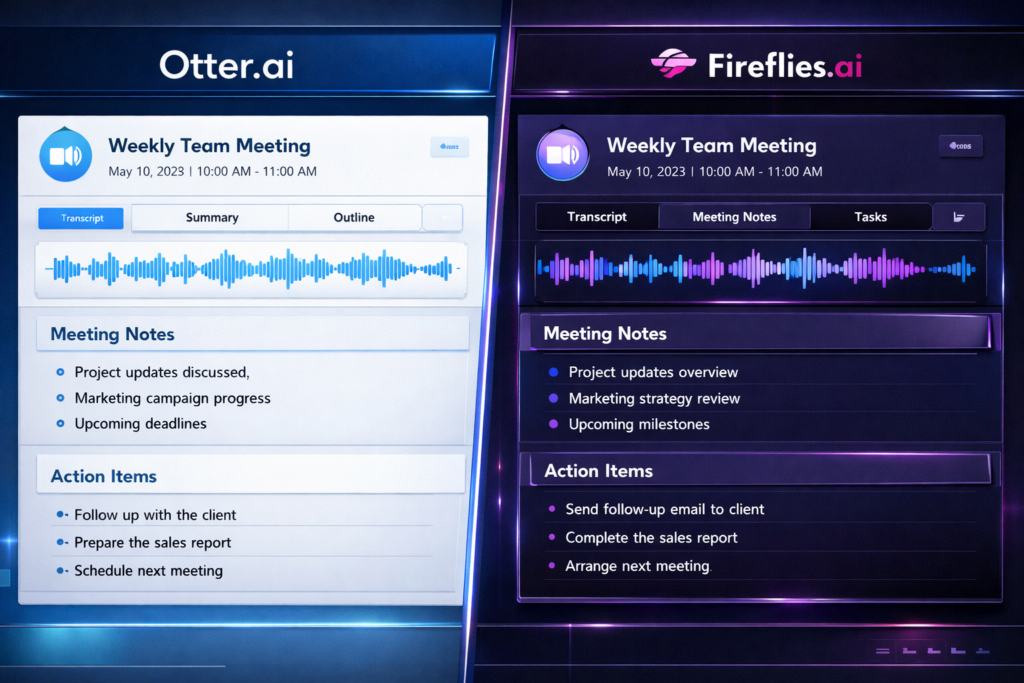
Round 3 — Integrations: Where Does the Data Actually Go?
A transcript that lives inside an app you never open is useless. This is where the two tools diverge most sharply — and where your existing workflow should dictate your choice.
Otter integrates natively with Zoom, Google Meet, and Microsoft Teams. It pushes summaries to Notion and Slack. Clean, reliable, covers 90% of workflows. But its Salesforce and HubSpot integrations are still clunky — summaries require manual review before syncing to deal records.
Fireflies has deeper CRM integration out of the box. Summaries push directly to Salesforce, HubSpot, and Pipedrive with deal-level tagging. If your team lives in a CRM, Fireflies connects meeting intelligence to revenue data in a way Otter simply doesn’t yet. It also integrates with Zapier, which means you can wire it to essentially anything.
I tested Fireflies’ Zapier integration to automatically log meeting summaries into a Notion database, tag them by client, and trigger a Slack notification to the relevant team member. Setup took 20 minutes. It has worked without fail every day since.

Round 4 — Pricing: What You’re Actually Paying For
Both tools have free tiers that are genuinely useful for light users — up to 300 minutes/month for Otter, unlimited transcription with limited AI features for Fireflies.
Where it gets interesting is the paid tier comparison:
- Otter Pro ($16.99/month) — Removes minute limits, adds advanced speaker ID, sentiment analysis, and Salesforce sync. Best for individuals and small teams.
- Fireflies Pro ($18/month) — Unlimited transcription, full CRM integrations, Zapier access, and the task automation features. Best for team leads and project managers.
- Fireflies Business ($29/month) — Adds conversation intelligence, talk-time analytics per speaker, and team-level reporting. Worth it if you’re managing a sales team and want call coaching data.
If you’re deciding based purely on ROI: one saved deal from Otter’s sentiment flag, or one hour saved per week from Fireflies’ task automation, pays for either tool in a month. The question is which hour costs you more.
Final Verdict — Pick Your Fighter
Choose Otter if: you’re a journalist, researcher, student, or anyone who needs the most accurate possible transcript and wants emotional context layered on top. The sentiment analysis alone makes it worth the Pro tier for client-facing work.
Choose Fireflies if: you manage a team, live inside a CRM, or want your meeting to automatically generate the next day’s task list before you’ve closed the tab. The automation depth is unmatched.
Use both if: you can expense it. Run Otter for the transcript quality and sentiment, pipe the summary into Fireflies via Zapier for the task and CRM automation. I did this for the last three days of my test week and it was, genuinely, a different experience of having meetings.
- Try Otter.ai — Best free tier for transcription accuracy and sentiment analysis.
- Try Fireflies.ai — Best for CRM integration and automated task creation.
📩 I’m testing 3 more AI meeting tools this month.
Chorus, Gong, and a dark horse you probably haven’t heard of. Subscribe to The Edge and I’ll send the full breakdown when it’s done — including which one I’m actually paying for with my own money.
→ Subscribe and get the next comparison first
Meetings didn’t get shorter in 2026. They got cheaper to attend. The real unlock isn’t which tool transcribes better — it’s that you can now send your AI to the meeting and show up only for the decisions.
Stop being the secretary. That job has been automated. Act like it.
– Alex