
AI Image Generator Art Style Transfer
What is AI Image Style Transfer?
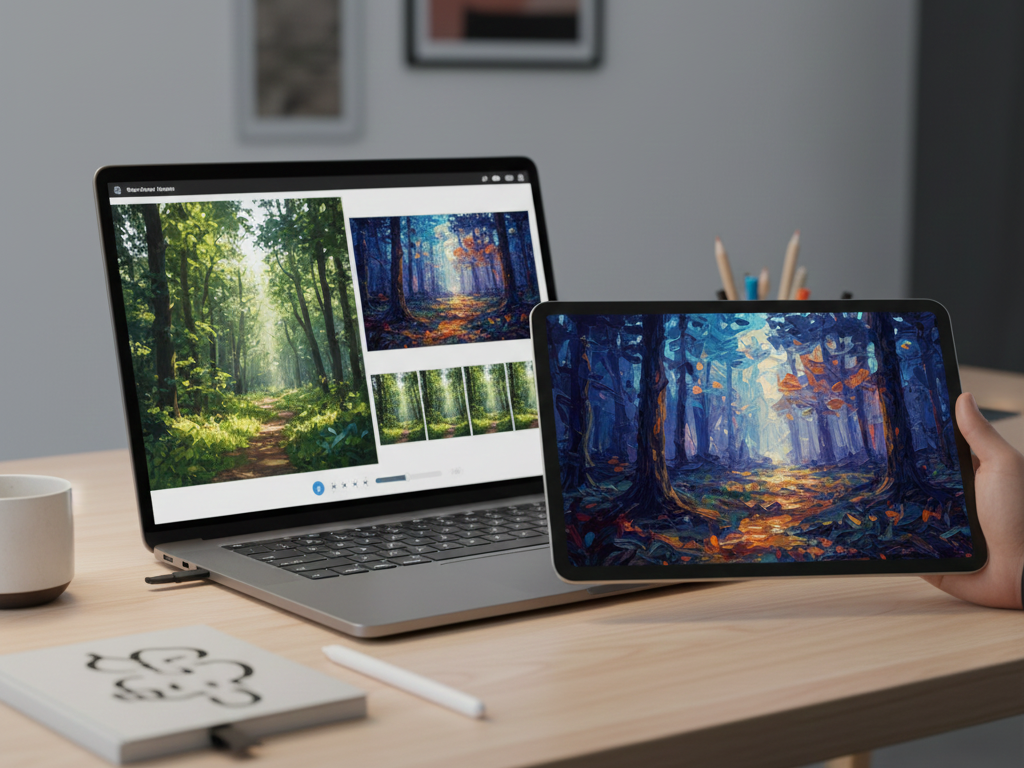
AI image style transfer is a sophisticated technology that allows users to apply the artistic style from one image to the content of another. This innovative approach enables creative professionals and enthusiasts to transform ordinary photos into artistic masterpieces by borrowing visual elements like textures, colors, and brushstrokes from reference images.
At its core, AI style transfer separates the content of an image (what objects are depicted) from its style (how those objects are rendered artistically). The technology then recombines these elements, maintaining the original content while adopting the artistic qualities of the style reference.
The evolution of this technology has been remarkable, moving from early academic experiments to sophisticated, user-friendly tools powered by neural networks and deep learning algorithms that are now accessible to creators worldwide.
My Take:
Style transfer represents one of the most practical applications of AI in creative fields. The technology has matured significantly, moving from producing obvious artifacts to generating remarkably cohesive artistic transformations. Market consensus indicates these tools are increasingly becoming essential components in modern creative workflows rather than mere novelties.
How AI Style Transfer Works: Unpacking the Technology
AI style transfer relies on neural networks and deep learning algorithms to analyze and separate the content and style representations within images. The technology identifies the content elements (shapes, objects, and their arrangement) from the source image while extracting stylistic elements (colors, textures, brushstrokes, and artistic techniques) from the reference image.
The process involves sophisticated algorithms that can distinguish between what makes up the “content” of an image versus its “style.” Neural networks analyze patterns at different levels of abstraction, from basic edges and colors to complex textures and compositional elements.
These systems then generate a new image that preserves the original content while applying the identified style characteristics, creating a cohesive artistic transformation that feels natural rather than artificially filtered.
My Take:
The technical complexity behind style transfer is often underappreciated. The most advanced platforms have overcome earlier limitations in preserving semantic content while transferring style elements. Users typically report that tools with more sophisticated neural network architectures produce more natural-looking results, especially when dealing with complex source images or highly distinctive artistic styles.
Core Features and Capabilities of AI Style Transfer Tools
Modern AI style transfer tools offer a range of essential features that make artistic transformation accessible and customizable:
- Image Upload Functionality: Users can upload both source images (the content to be transformed) and style reference images (providing the artistic style to be applied).
- Style Intensity Controls: Many platforms provide sliders or parameters to adjust how strongly the style is applied, allowing for subtle enhancements or dramatic transformations.
- Artistic Style Generation: The core capability to generate new images with cohesive artistic aesthetics that maintain the original content’s integrity.
- Text-to-Image with Style: Advanced platforms like Midjourney and Stable Diffusion allow users to generate images from text prompts while incorporating specific style parameters.
Tools like Adobe Firefly offer integrated style transfer capabilities within larger creative suites, streamlining the workflow for professional designers and artists who need to maintain consistency across projects.
My Take:
The quality gap between different style transfer implementations is substantial. Premium solutions like Adobe Firefly and Midjourney generally offer superior style fidelity and content preservation compared to basic free alternatives. Market trends suggest that integration with broader creative workflows is becoming increasingly important for professional users who need seamless incorporation into their existing processes.
Practical Use Cases: Who Benefits from AI Art Style Transfer?
AI style transfer technology serves diverse creative professionals and enthusiasts:
- Artists and Digital Creators: Experiment with new artistic directions or create variations of existing work to explore creative possibilities.
- Graphic Designers: Generate consistent brand visuals and quickly iterate on design concepts for marketing materials and presentations.
- Marketers and Content Creators: Produce unique visuals for social media, blogs, and campaigns that maintain a distinct brand aesthetic across platforms.
- Photographers: Transform conventional photographs into artistic pieces with specific stylistic qualities, expanding their creative offerings.
These tools enable professionals to maintain visual consistency while producing large volumes of content, a critical advantage in today’s media-saturated environment.
Comparison Grid — AI Image Style Transfer Tools
Comparison Grid: AI Image Generators for Art Style Transfer
Use this grid to compare style-transfer readiness (controls, workflows, integrations) for practical production use. Prices reflect the figures in your draft and may change by region or billing cycle.
| Tool | Best For | Style Transfer / Workflow Strengths | Control & Editing | Integrations | Free Plan | Starting Price |
|---|---|---|---|---|---|---|
| Adobe Firefly Integrated creative suite ecosystem | Brand consistencyDesign teamsProduction workflows | Strong for teams who need consistent visual styling across many assets. Often preferred when style transfer must align with broader design systems. | Style intensity controls and workflow-friendly guardrails. Best results when used as part of a structured review pipeline. | Adobe ecosystem | Yes | $9.99/mo |
| Dzine.ai User-friendly style transfer | Fast experimentationCreatorsSocial visuals | Good for quick iterations and straightforward style application without heavy setup. Works well when speed matters more than deep technical control. | Typically offers adjustable style strength and basic refinement tools. Validate fine details (hands, faces, typography) before publishing. | Web app | Yes | $8.99/mo |
| Midjourney High-quality stylization | Art directionStylized looksMood exploration | Excellent for visually compelling, stylized outputs. Great when you want strong “artistic lift” rather than subtle enhancement. | Strong prompt-based control; iteration is key. Pair with external editing tools for precise local fixes. | Community workflow | No | $10/mo |
| Stable Diffusion Flexible & customizable | Advanced usersCustom pipelinesModel control | Ideal for teams wanting repeatability and deep control via parameters, models, and workflows. Great fit for image-to-image refinement and consistent iteration. | Fine-grained control: seeds, negative prompts, image-to-image, inpainting/outpainting (depending on setup). Requires more setup and prompt discipline. | Plugins / APIs Local or cloud | Yes | Free |
| RunwayML Creative suite + video workflows | Content teamsMixed mediaFast production | Strong when style transfer is part of a broader creative pipeline (image + motion + edits). Useful for teams producing many assets across formats. | Practical controls and creative tooling. Best for quick iterations and downstream edits in one environment. | Creative toolkit | Yes | $12/mo |
Tip: On mobile, this grid scrolls horizontally for readability.
My Take:
The democratization of style transfer technology has significantly lowered barriers to artistic expression. However, the most successful implementations come from users who understand both the capabilities and limitations of these tools. Market consensus indicates that while hobbyists benefit from the creative exploration these tools enable, professional designers and marketers extract the most commercial value through systematic application to content production pipelines.
Choosing the Right AI Style Transfer Tool: Key Considerations
When selecting an AI style transfer platform, several factors should guide your decision:
- Output Quality: Evaluate how faithfully the tool transfers style while preserving important content elements.
- User Interface: Consider the learning curve and whether the interface supports efficient creative workflows.
- Integration Capabilities: Assess how well the tool fits into existing creative processes and software ecosystems.
- Platform Type: Decide between standalone solutions focused solely on style transfer or integrated platforms that offer style transfer as part of a broader creative toolkit.
Advanced platforms like Adobe Firefly’s Generative Match feature provide seamless integration with professional creative suites, while specialized tools may offer more granular control over the style transfer process.
My Take:
The ideal tool selection depends heavily on the user’s specific needs and existing workflow. Professional designers typically benefit most from integrated solutions like Adobe Firefly, while experimental artists often prefer the flexibility and control offered by specialized platforms like Stable Diffusion. User feedback consistently highlights that workflow integration is often as important as raw output quality for sustained professional use.
Limitations and Challenges of AI Style Transfer
Despite impressive capabilities, AI style transfer technology faces several limitations:
- Output Inconsistencies: Results may sometimes exhibit artifacts or unnatural distortions, especially with complex images or highly abstract styles.
- Ethical Considerations: Questions around intellectual property and the “ownership” of artistic styles remain unresolved in many contexts.
- Processing Requirements: High-quality style transfer can be computationally intensive, requiring substantial processing power or cloud resources.
- Content Preservation: Maintaining semantic content accurately while applying dramatic style changes remains challenging for many systems.
These limitations highlight the ongoing development needs in the field, even as the technology continues to advance rapidly.
My Take:
The ethical dimensions of style transfer deserve more attention than they typically receive. The technology essentially allows borrowing the visual language of artists without clear consent frameworks. Industry observers note that as these tools become more mainstream, clearer guidelines around style attribution and compensation models will likely become necessary to address growing concerns from original artists.
The Future of AI Art and Creative Style Generation
The field of AI style transfer continues to evolve rapidly, with several emerging trends:
- Real-time Applications: Advancements in processing efficiency are enabling real-time style transfer for video and interactive applications.
- Personalization: Custom style training allows users to develop unique stylistic signatures or brand-specific visual languages.
- Cross-industry Integration: Style transfer is expanding beyond traditional creative fields into architecture, fashion, product design, and other visual disciplines.
- Enhanced Control: Next-generation tools are providing more granular control over specific stylistic elements rather than wholesale style application.
These developments suggest that AI style transfer will become increasingly sophisticated and integrated into broader creative and commercial workflows.
My Take:
The trajectory of style transfer technology points toward more nuanced, controllable implementations that serve specific creative needs rather than general-purpose applications. Market trends indicate growing specialization, with tools optimized for particular industries or use cases. The most forward-thinking platforms are already exploring ways to balance creative freedom with ethical considerations around style appropriation.
How I’d Use AI Image Style Transfer in Real Projects
I would start by clearly separating content intent and style intent before generating anything. For each project, I define what must remain structurally accurate in the source image—such as subject proportions, composition, or branding elements—before selecting a style reference. This prevents over-stylization that can distort critical visual information.
Next, I’d test style transfer at low-to-medium intensity first. Many creators push style strength too aggressively, which often introduces artifacts or visual noise. Gradual adjustments allow me to identify the balance point where the style enhances the image without overpowering the original content.
For professional workflows, I’d document style references, parameters, and seeds used in each iteration. This makes the process repeatable and allows consistent visual output across campaigns, collections, or brand assets. When a style works well, it becomes a reusable visual preset rather than a one-off experiment.
I’d also combine style transfer with image-to-image refinement instead of relying on a single generation. This layered approach helps preserve details while gradually applying artistic characteristics. It’s especially effective for marketing visuals, editorial images, and branded social media content where clarity matters.
Finally, I’d run outputs through a human review pass focused on brand alignment and originality. AI style transfer accelerates ideation and production, but human judgment remains essential for deciding whether the final image truly fits the creative goal and ethical boundaries.
Pricing Plans
Below is the current pricing overview for the tools mentioned above:
- Adobe Firefly: $9.99/mo, Free Plan Available
- Dzine.ai: $8.99/mo, Free Plan Available
- Midjourney: $10/mo, No Free Plan
- Stable Diffusion: Free Plan Available
- RunwayML: $12/mo, Free Plan Available
Value for Money
When evaluating value proposition across these platforms, Adobe Firefly stands out for professional users due to its integration with the broader Adobe ecosystem, making it particularly valuable for designers already working within that environment. The quality of its style transfer capabilities combined with seamless workflow integration justifies its pricing for commercial applications.
For independent creators and hobbyists, Stable Diffusion offers exceptional value through its open-source nature and free availability, though it requires more technical knowledge to implement effectively. Midjourney occupies a middle ground, providing high-quality outputs with a straightforward interface at a reasonable subscription cost, making it appealing to content creators who need quality results without deep technical expertise.
Dzine.ai and RunwayML both offer competitive pricing with distinctive strengths—Dzine.ai for its user-friendly approach and RunwayML for its broader creative toolkit that extends beyond style transfer. The ideal choice depends on specific use cases: professional production environments benefit from premium solutions, while experimental projects or learning endeavors may be better served by free or lower-cost options.
Editor’s Summary
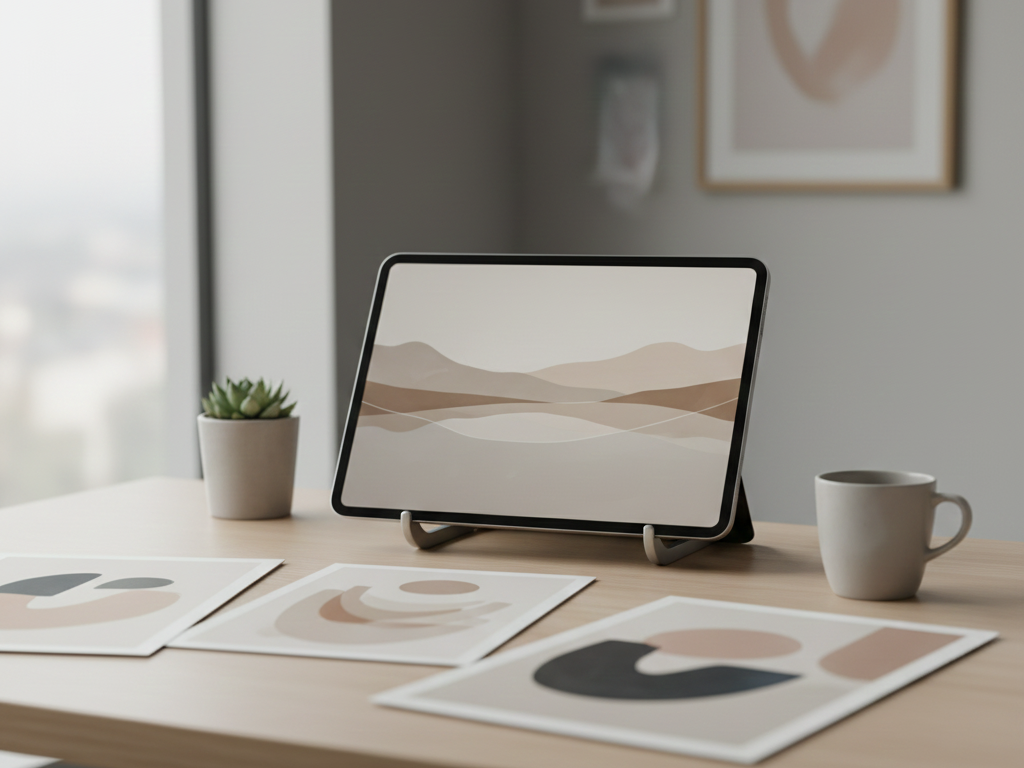
AI image style transfer technology has evolved from an experimental concept to a practical tool for creative professionals across multiple industries. The most capable platforms now offer impressive fidelity in transferring artistic styles while preserving content integrity, though challenges remain in handling complex images and highly abstract styles. For professional users, integrated solutions that fit seamlessly into existing workflows provide the most value, while specialized tools offer greater creative control for artistic experimentation. As the technology continues to mature, we can expect more sophisticated applications that balance creative possibilities with ethical considerations around artistic style appropriation.