
AI Video Generator That Uses Text Prompts
What is an AI Video Generator That Uses Text Prompts?
AI video generators that use text prompts are advanced technological tools that convert written descriptions, scripts, or articles into complete video clips. These innovative solutions represent the cutting edge of content creation technology, allowing users to generate visual content simply by describing what they want.
Defining text-to-video AI technology
Text-to-video AI technology refers to systems that interpret written prompts and transform them into visual sequences. These tools analyze the language in your prompts, understanding context, subjects, actions, and environments to create corresponding video content.
How AI interprets text prompts to create visuals and audio
When users input a script or a series of descriptive text prompts, the AI analyzes the language to generate corresponding video scenes. Many of these platforms also offer AI-generated voiceovers with various accents and languages to accompany the video content, creating a comprehensive audiovisual experience from text alone.
Key benefits of using text-based video generation
The primary advantages of text-to-video AI include:
- Rapid content creation without video production expertise
- Cost-effective alternative to traditional video production
- Accessibility for individuals or teams with limited video experience
- Quick visualization of concepts before full production
My Take: For an AI video generator that uses text prompts, the main strategic value lies in collapsing the gap between idea and publishable video. These tools shift effort from production logistics to prompt clarity, which helps teams scale output while keeping creative direction centralized.
Core Features and Capabilities of Text-to-Video AI Tools
Generating video from scripts and prompts
The fundamental capability of these tools is transforming written descriptions into visual content. Users can input detailed scene descriptions, dialogue, or action sequences, and the AI will generate corresponding video elements.
AI voiceover and narration options
Many platforms offer AI-generated voiceovers with various accents and languages to accompany the video content. This feature enables creators to produce fully narrated videos without recording equipment or voice talent.
Integration with stock media libraries
Most AI video generators provide access to extensive stock media libraries, including images, video clips, and music, to enrich the generated content and provide more options for customization.
Customization of video styles, characters, and scenes
These platforms typically offer various video styles, from realistic footage to animated graphics, based on user preferences. Some generators allow for customization of animated characters or avatars to deliver the video’s message, enhancing personalization options.
Basic editing and enhancement functionalities
Beyond generation, many tools include editing capabilities for refining the output, allowing users to adjust timing, add transitions, or enhance visual elements after the initial creation.
My Take: For teams adopting an AI video generator that uses text prompts, the most impactful features are those that combine automated scene creation with stock media libraries and voiceover options. This combination turns a simple script into a near-finished asset, reducing the number of external tools needed in the workflow.
Typical Use Cases for AI Video Generators
Creating marketing and promotional videos
Marketers use these tools to quickly produce social media ads, product explainers, and promotional videos. The efficiency of text-to-video generation allows for rapid iteration and testing of different marketing approaches.
Producing engaging social media content
Content creators leverage these platforms to maintain consistent posting schedules across social channels, generating short-form videos that capture audience attention without extensive production time.
Developing educational and explainer videos
These tools are particularly effective for generating explainer videos, e-learning modules, and internal communications. Educational content creators can transform lesson plans or course outlines into visual learning materials.
Rapid prototyping for video concepts
Video producers use AI generators to visualize ideas quickly before committing to full production, allowing teams to test concepts and gather feedback with minimal resource investment.
Personalized video communication
Businesses can create customized video messages for clients, employees, or stakeholders, adding a personal touch to communications without extensive production requirements.
Real Example
A marketing team of five utilized an AI video generator to create promotional content for their upcoming product launch. By inputting concise text prompts and scripts, they were able to generate high-quality videos in a fraction of the time it typically took with traditional production. This streamlined workflow not only saved them several hours per project but also enabled them to quickly adapt videos based on feedback, leading to more engaging content and improved social media engagement.
My Take: In practical deployments, an AI video generator that uses text prompts tends to drive the most value in environments with recurring video needs, such as campaigns or course series. The ability to repurpose scripts and outlines into multiple visual formats makes it especially useful for marketing and education teams operating on tight timelines.
Choosing the Best AI Video Generator: Key Considerations
Text-to-video AI tools at a glance
High-level comparison focused on positioning, pricing entry points, and typical use cases.
| Tool | Starting Price | Free Plan | Best For | Key Strength |
|---|---|---|---|---|
| Canva | $12.99/mo | Yes | General creators | Ease of use + design ecosystem |
| Adobe Firefly | $9.99/mo | Yes | Creative professionals | High-quality visuals, Adobe integration |
| InVideo AI | $28/mo | Yes | Marketing teams | Fast promo and social video output |
| Pictory | $19/mo | Yes | Content repurposing | Script-to-summary videos |
| Synthesys | $20/mo | Yes | Avatar-based videos | AI presenters and narration |
| HeyGen | $29/mo | Yes | Professional creators | Realistic avatars and voices |
Tip: Always test rendering speed, voice quality, and export limits during free trials before committing.
Ease of use and user interface
The accessibility of the platform’s interface significantly impacts productivity, especially for users without technical backgrounds. Intuitive design and clear workflows are essential for maximizing the technology’s benefits.
Quality and realism of generated video output
Output quality varies significantly between platforms, with some focusing on photorealistic visuals while others specialize in animated or stylized content. Recent advancements focus on improving the realism of generated visuals and the naturalness of AI voices.
Customization options and creative control
The degree of control offered over the final output—including style adjustments, scene composition, and character customization—determines how well the tool can align with specific brand guidelines or creative visions.
Supported languages and voice styles
For global creators, language support for both text prompts and generated voiceovers is crucial. The range of available voice styles, accents, and emotional tones affects the versatility of the tool.
Integration with other creative tools
These tools are often integrated into broader creative suites or offer export options compatible with popular video editing software, allowing for seamless incorporation into existing workflows.
My Take: When selecting an AI video generator that uses text prompts, decision-makers benefit most from pilot testing around a few real projects. Comparing output quality, language support, and editing flexibility under actual workload conditions gives a clearer picture than feature lists alone.
Limitations and Trade-offs of AI Text-to-Video Technology
Challenges in conveying nuanced emotion or complex narratives
Generated videos may sometimes lack the nuanced emotion or unique creative flair of human-produced content. Subtle storytelling elements and emotional resonance can be difficult to achieve through text prompts alone.
Potential for generic or repetitive visuals
Without careful prompt engineering, AI-generated videos can sometimes produce generic or similar-looking content, particularly when using common descriptive terms or concepts.
Time required for high-quality rendering
Rendering complex or long videos can sometimes be time-consuming, depending on the platform and desired quality. Higher resolution outputs or more complex scenes typically require longer processing times.
Dependence on prompt quality for optimal results
The quality and originality of the output heavily depend on the specificity and detail of the initial text prompt. Learning effective prompt writing becomes an essential skill for maximizing these tools.
Creative limitations compared to traditional video production
Achieving highly specific camera angles or intricate scene compositions through text prompts alone can be challenging. Some creative visions may still require traditional production methods to fully realize.
My Take: Organizations using an AI video generator that uses text prompts usually gain speed but trade off some fine-grained creative control. Setting clear guidelines for prompt structure and review steps helps mitigate repetitive visuals and keeps output aligned with brand standards.
The Future of Text-to-Video AI: Trends and Innovations
Advancements in realism and cinematic quality
Ongoing research is rapidly improving the visual fidelity and cinematic quality of AI-generated videos, with each generation of models producing more convincing and detailed outputs.
Improved emotional intelligence and character consistency
Future developments are likely to enhance the emotional range and consistency of AI-generated characters, allowing for more compelling and believable performances in generated videos.
Integration with advanced 3D and immersive environments
The convergence of text-to-video technology with 3D modeling and virtual environments promises more immersive and spatially complex generated content.
Faster generation times and real-time editing
Processing efficiency improvements will likely enable near real-time generation and editing capabilities, allowing for more interactive and iterative creative processes.
Expanding accessibility for non-technical users
User interfaces and prompt systems are evolving to become more intuitive, making these powerful tools accessible to an even wider range of creators regardless of technical background.
My Take: As an AI video generator that uses text prompts becomes more capable, its role is likely to shift from simple automation toward collaborative co-creation. The most effective implementations will pair AI-driven production speed with human oversight focused on narrative coherence and emotional impact.
Pricing Plans
Below is the current pricing overview for the tools mentioned above:
- Canva: $12.99/mo, Free Plan Available
- Adobe Firefly: $9.99/mo, Free Plan Available
- InVideo AI: $28/mo, Free Plan Available
- Pictory: $19/mo, Free Plan Available
- Synthesys: $20/mo, Free Plan Available
- HeyGen: $29/mo, Free Plan Available
Value for Money
When evaluating value proposition, Adobe Firefly and Canva stand out for offering robust AI video generation capabilities at entry-level price points while maintaining comprehensive feature sets. These platforms deliver particularly strong value for small businesses and content creators who need regular video production without dedicated media teams. Their integration with broader creative ecosystems provides additional utility beyond standalone video generation.
Mid-tier options like Pictory and Synthesys offer specialized capabilities that justify their pricing for specific use cases. Pictory excels in transforming long-form content into engaging video summaries, while Synthesys focuses on realistic AI avatars and presenters. For organizations with these specific needs, the focused functionality provides strong value despite the higher price point. Premium-priced options like HeyGen and InVideo AI target professional content creators and marketing teams requiring the highest quality output and most advanced customization options. These tools deliver value through time savings and production quality that would otherwise require significant investment in traditional video production resources.
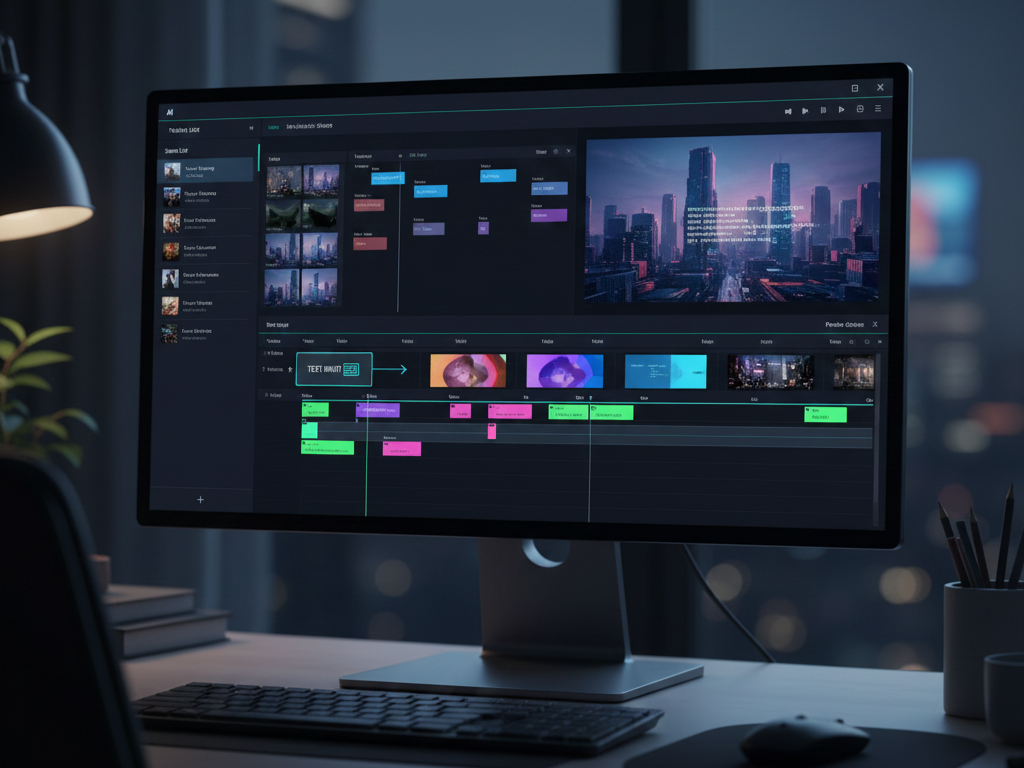
How I’d Use It
When working with an AI video generator that uses text prompts, I treat it as a rapid visualization and production layer rather than a fully autonomous creative system. The goal is to turn written ideas into usable video assets quickly while maintaining narrative control.
I begin by writing a short, structured script instead of a vague prompt. This usually includes a clear opening hook, one main idea per scene, and a simple closing CTA. Treating the prompt like a storyboard in text form leads to more consistent visuals and fewer generic scenes.
Next, I generate an initial video draft focusing on structure rather than perfection. At this stage, I evaluate whether the scenes match the intended flow, whether the pacing feels right, and whether the visuals generally support the message. I avoid spending time fine-tuning until the overall sequence makes sense.
Once the structure is solid, I refine the output by adjusting scene descriptions, swapping stock visuals, and selecting voiceover styles that match the audience and platform. For marketing content, clarity and pacing matter more than cinematic flair, so I prioritize legibility and message delivery.
After generation, I apply a human review pass. This includes checking for visual repetition, ensuring brand alignment, verifying pronunciation in voiceovers, and confirming that the video works without sound when subtitles are enabled.
Finally, I export multiple versions if needed—such as different aspect ratios or slightly modified scripts—for reuse across platforms. Over time, successful prompts are saved and reused as templates, turning the AI video generator into a repeatable production system rather than a one-off tool.
In practice, AI handles speed and assembly, while humans retain responsibility for storytelling, tone, and final quality control.

Editor’s Summary
AI video generators that use text prompts represent a significant advancement in content creation technology, making video production accessible to creators regardless of technical expertise or budget constraints. While these tools excel at producing informational and marketing content efficiently, they still face limitations in conveying complex emotions and highly specific creative visions. The technology is best suited for users who need consistent video output and are willing to develop prompt-writing skills to maximize results. As the technology continues to evolve, we can expect improvements in visual quality, emotional intelligence, and user accessibility that will further expand its applications across industries.