
The reply came back in under ten seconds. Two paragraphs. Technically accurate. And it completely ignored the fact that the client was clearly frustrated about a missed deadline, not just asking a logistical question.
That is the failure mode nobody warns you about. The AI reads the literal words. It misses the subtext. And you send the wrong reply to exactly the client who needed to feel heard.

What a Bad Client Reply Actually Looks Like
Here is a real pattern that surfaces constantly when AI handles client emails without a structured prompt:
“Hey, just checking in again on the deliverable. We were expecting it last Friday. Let me know what’s happening.”
Unstructured AI reply:
“Hi [Name], thank you for reaching out. The deliverable is currently in progress and will be completed soon. We appreciate your patience and will keep you updated. Best regards.”
That reply does three damaging things simultaneously. It ignores the missed deadline. It gives no timeline. And “we appreciate your patience” reads as a corporate brush-off to a client who has already waited past the agreed date.
The AI did not fail because it lacks empathy. It failed because the prompt gave it no information about the history, the tone of the relationship, or the emotional register of the incoming message. Nuance is a data input, not a model trait. Feed the model vague instructions and it produces vague output, every time.
The Wrong Diagnosis Costs You the Client
The first instinct is usually to blame the model. Switch tools, try a different platform, add a few adjectives to the instruction: “write a warm, professional reply.” That still fails. The output gets slightly softer, but it still does not address what the client actually communicated.
The actual cause is structural. The prompt is missing three inputs the model needs to respond accurately: the communication history between you and this client, the emotional register of the incoming message, and your brand voice under pressure. Without those three inputs, the model defaults to generic corporate filler, regardless of which tool you use.
Once a “Past Interactions” block and a “Sentiment Tone” instruction were added to the prompt structure, the output shifted from tone-deaf to calibrated. Not because the model became smarter — because it finally had the right data to work with.
The Structured Prompt: Copy-Paste Ready
This is the core framework. Fill in the bracketed sections before running. The model does the rest.
You are a professional client communication assistant writing on behalf of [YOUR NAME / BRAND].

CONTEXT:
- Client name: [CLIENT NAME]
- Project or service: [PROJECT NAME OR SERVICE TYPE]
- Current status: [BRIEF STATUS — e.g., "deliverable is 3 days late due to scope change"]
- Past interaction tone: [e.g., "formal and cordial", "casual and friendly", "tense after last billing dispute"]

INCOMING EMAIL SENTIMENT:
[Classify the tone of their email — e.g., "frustrated but polite", "neutral follow-up", "escalating urgency", "confused about next steps"]

INCOMING EMAIL:
[PASTE CLIENT EMAIL HERE]

RESPONSE INSTRUCTIONS:
- Acknowledge the specific concern they raised, not a generic version of it
- If there is a delay or issue, name it directly without over-apologizing
- Provide one concrete next step with a date or timeframe
- Match the formality level of their email unless their tone is hostile, in which case stay one level more formal
- Keep the reply under 120 words
- Do not use: "I hope this finds you well", "As per my last email", "Please do not hesitate"

OUTPUT: Write the email reply only. No subject line. No explanation.
Run this once and compare the output to what you were getting before. The difference is not subtle.
Before and After: The Same Situation, Two Outputs
“Hi Sarah, thank you for your message. The deliverable is being finalized and will be sent to you shortly. We appreciate your patience during this time. Please let us know if you have any questions.”
“Hi Sarah, I hear you — Friday passed and you still don’t have it. That’s on us. The final version is being reviewed now and I’m sending it to you by Wednesday noon. If anything changes before then, I’ll flag it immediately. Thank you for your patience with this.”
Same model. Completely different output. The second reply acknowledges the delay by name, gives a specific date, and closes the accountability loop. It took roughly the same number of seconds to generate. The difference was entirely in the prompt structure.
For a workload of ten active clients, this shift removes roughly two to three rounds of back-and-forth per week — the kind that happens when the first reply doesn’t actually address what the client was asking.
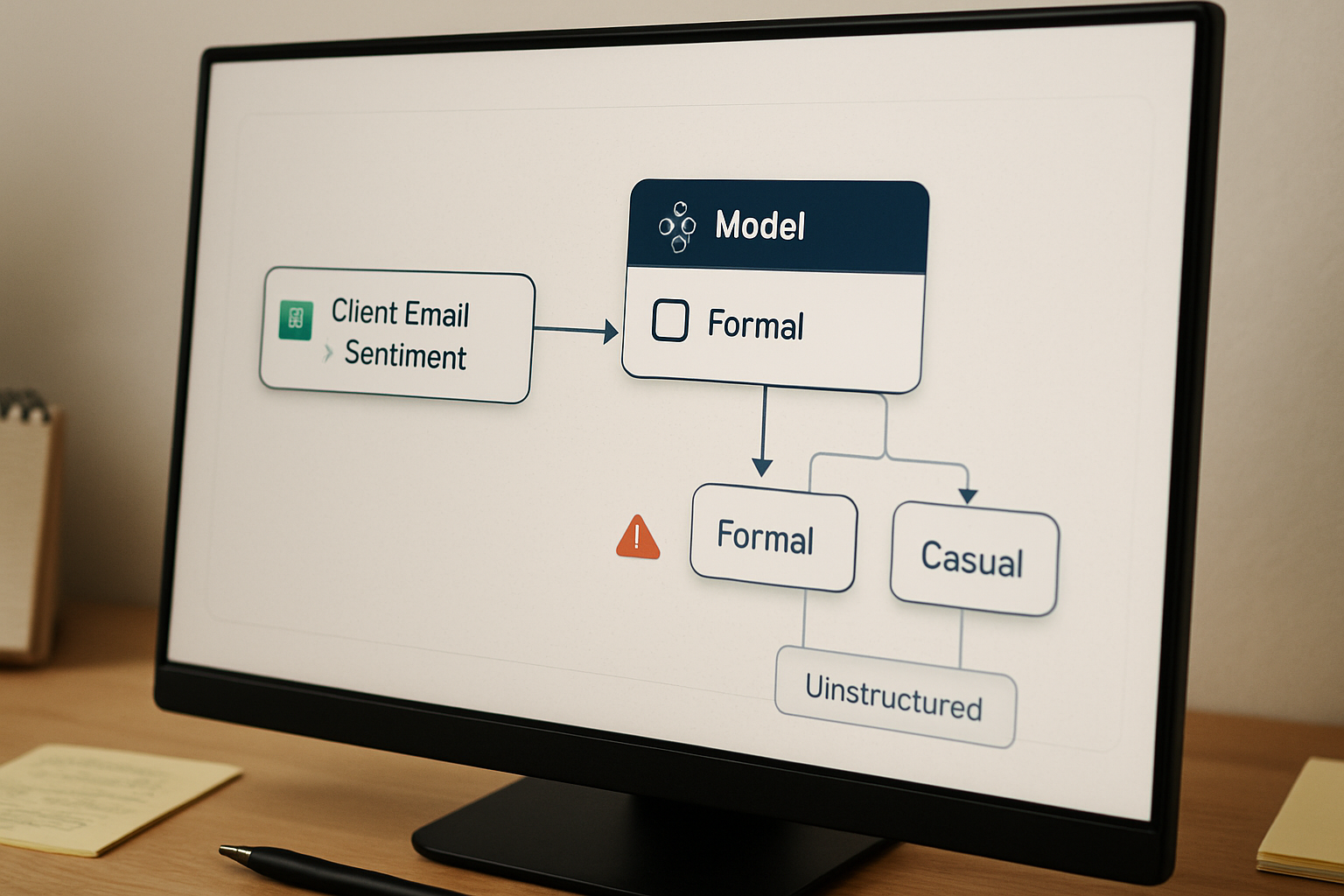
Two Variations: Formal vs. Casual Tone
The base prompt handles most situations. These two pre-filled variations cover the two most common client communication registers. Both are ready to use without editing the core structure.
Formal Tone Variation
You are a professional client communication assistant writing on behalf of [YOUR NAME / BRAND].

CONTEXT:
- Client name: [CLIENT NAME]
- Project or service: [PROJECT NAME]
- Current status: [STATUS]
- Past interaction tone: Formal and professional — this client prefers precise, structured communication

INCOMING EMAIL SENTIMENT: [e.g., "concerned about timeline", "requesting status update", "raising a billing question"]

INCOMING EMAIL:
[PASTE EMAIL]

RESPONSE INSTRUCTIONS:
- Open with direct acknowledgment of their specific concern
- Use full sentences, no contractions
- State one clear action item with a specific date
- Close with a professional but not stiff sign-off
- Keep under 130 words
- Avoid: "touching base", "circling back", "per our conversation"

OUTPUT: Email reply only.
Casual Tone Variation
You are a client communication assistant writing on behalf of [YOUR NAME / BRAND].

CONTEXT:
- Client name: [CLIENT NAME]
- Project or service: [PROJECT NAME]
- Current status: [STATUS]
- Past interaction tone: Casual and friendly — first-name basis, occasional humor is appropriate

INCOMING EMAIL SENTIMENT: [e.g., "relaxed check-in", "mildly impatient", "excited about the project"]

INCOMING EMAIL:
[PASTE EMAIL]

RESPONSE INSTRUCTIONS:
- Match their energy without being unprofessional
- Contractions are fine; slang is not
- Acknowledge what they said specifically before moving to the update
- Give one clear next step with a timeframe
- Keep it under 100 words — they don't want an essay
- Avoid: corporate filler, excessive apologies, vague timelines

OUTPUT: Email reply only.
You do not have a slow email problem. You have someone silently re-reading, rewording, and second-guessing AI drafts before every send — and that invisible review layer is the real time cost. A structured prompt does not just speed up the reply. It removes the correction loop entirely.
Where This Breaks
This system handles the majority of routine client communication well. It does not handle everything.
If the relationship has a complex history — a billing dispute that escalated, a project that went badly off-track, a client who has already expressed they want to speak to a senior person — the model will not capture that weight from a one-line “Past Interactions” description. Those situations need a human-written response, or at minimum a human-reviewed draft with significantly more context loaded into the prompt.
The system also breaks when the incoming email contains ambiguous intent. If the client is asking something that could be interpreted two different ways, the model will pick one interpretation and run with it. It does not flag ambiguity. You need to read the email yourself and classify the sentiment accurately before the prompt can produce a useful output.
And if your brand voice has specific phrases, terms, or rhythms that matter — legal language, industry-specific terminology, a particular sign-off — those need to be added explicitly to the instructions block. The model does not infer house style from context. It needs it written down.
The Checklist Before You Send
- Read the incoming email and classify the sentiment yourself before running the prompt. Do not let the model guess.
- Fill in the “Past Interactions” field with at least one specific descriptor — “tense after last invoice” is more useful than “professional”.
- Check the output for any date or commitment the model invented. It will sometimes generate a plausible-sounding timeline that you never agreed to. Replace any invented dates with your actual availability.
- Verify the reply addresses the specific concern raised, not a generalized version of it. If the client asked about the deliverable and the reply discusses the project broadly, rerun the prompt with a more specific status entry.
- If the situation is sensitive, add one sentence of human context at the top or bottom. The prompt handles the structure. You handle the relationship signal.
If you want the extended version of this framework — including a prompt block for escalation emails, a sentiment classification guide, and a variation for handling scope change conversations — get the setup notes below.
The complete client email prompt library — formal, casual, escalation, and scope change variations — is available to Edge readers. Join the list and get the template set sent directly to your inbox.
→ Join the list for the full template set
The model was never the problem. Every tone-deaf reply was a prompt that forgot to load the relationship. Fix the input and the output fixes itself.